13Bualo Filter® VisiClear™ Operator’s Manual
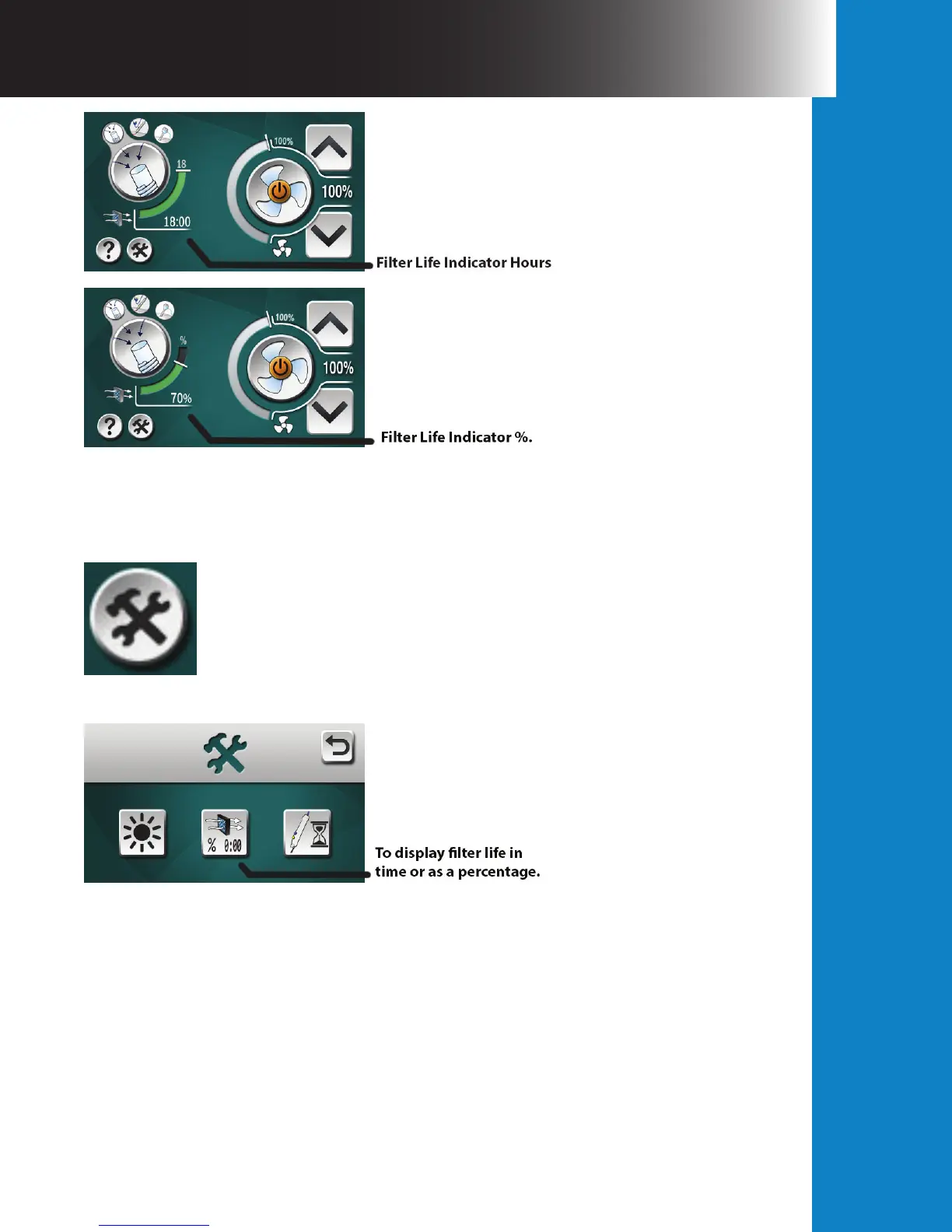
Figure 5.
Filter life can be displayed in both hours and minutes or as a percentage using the Settings
button located in the lower le section of the touch screen. See Figures 6 and 7.
Figure 6.
Figure 7.
When the maximum lter life is consumed, the following warning screen will appear indicating
that a lter replacement is needed. Aer inserting a new VisiClear™ Filter, press the green
check mark to clear the warning and resume normal operation. During operation, if a lter
expires the system will not turn o but will remain running until the system is powered down
or 6 hours passes, whichever comes rst. At that point, the VisiClear™ will no longer operate
until a new lter is inserted into the system. It is always best practice to replace an expired
lter immediately; however, a validated contingency life is built into the lter to ensure no
interruption to the operative procedure. See Figure 8.


 To Next Page