5
UK
Telephone Helpline: 0845 146 2887
Cleaning, Care & Maintenance
Switch off and disconnect the appliance from the power supply. Allow to cool
down before cleaning.
• Withdraw the door for ease of cleaning.
• Clean the interior of the appliance as often as possible.
• Use warm, soapy water and a damp cloth to clean the appliance.
• Do not use abrasive cleaning agents. These can leave harmful residues.
• Always wipe dry after cleaning.
Replacing the Interior Lamp
• Call your BUFFALO dealer or a qualified electrician. The Lamp Assembly is available to purchase as a
spare part.
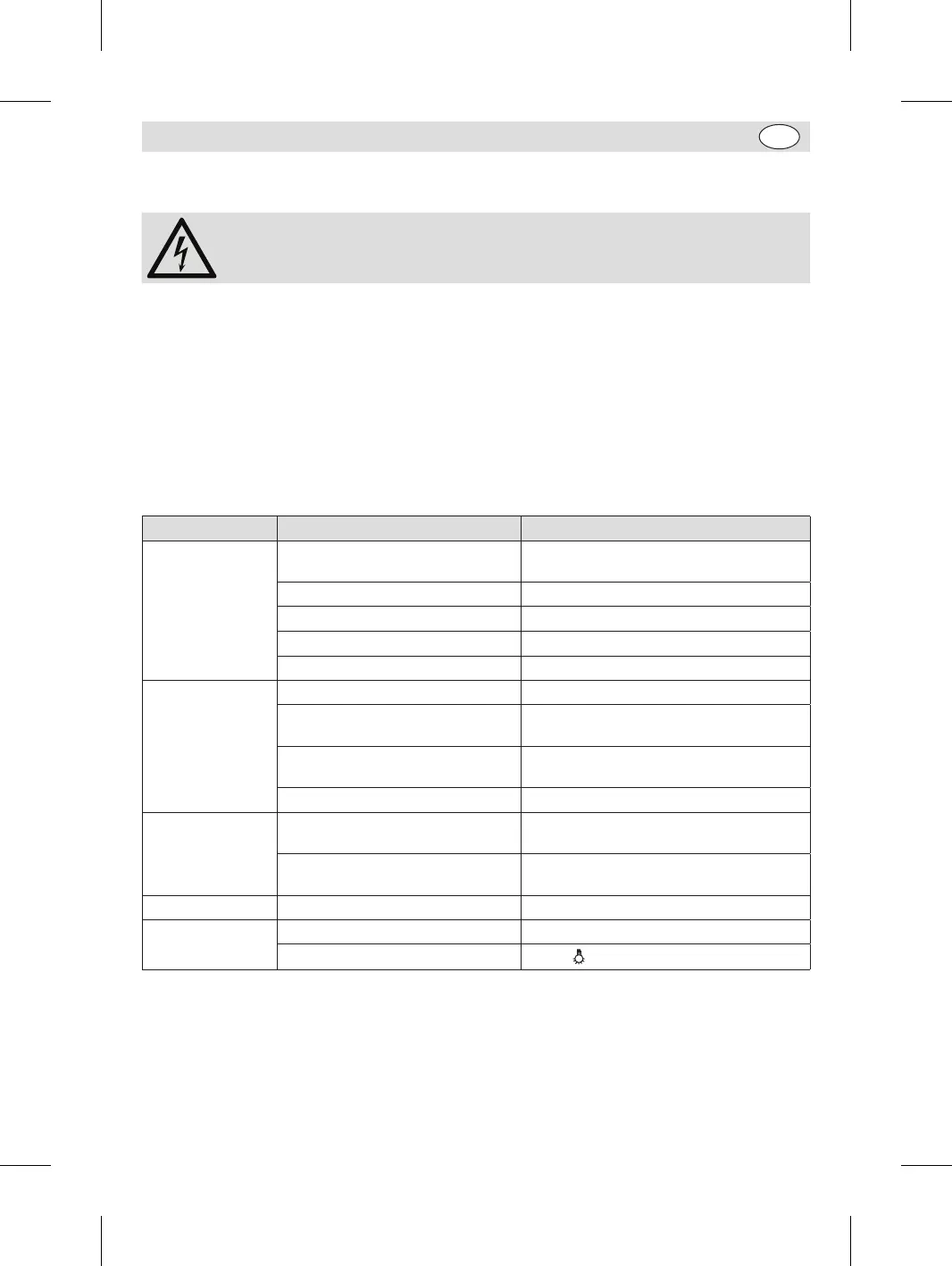
Troubleshooting
Fault Probable Cause Solution
The unit is not
working
The unit is not switched on Check the unit is plugged in correctly and
switched on
Plug and lead are damaged Call BUFFALO agent or qualified Technician
Fuse in the plug has blown Replace the plug fuse
Power supply Check power supply
Internal wiring fault Call BUFFALO agent or qualified technician
Poor heating effect Poor ventilation Increase ventilation
Door is opened frequently or not
shut properly
Check door is hooked in place.
Food too cold or too much food in
the appliance
Remove excessive food
Temperature improperly set Re-set the temperature
Loud noises The appliance has not been installed
in a level or stable position
Check installation position and change if
necessary
The appliance is too close to a wall
or other object
Move to a well-ventilated position.
Odour from the unit Unit is not cleaned for long time Clean the unit thoroughly
The lamp does not
illuminate
Lamp needs replacing Call BUFFALO agent or qualified technician
Light not turned on
Ensure button has been pressed properly
CW146_UK_A5_v1_171206.indb 5 2017/12/6 10:31


 To Next Page