EasyManua.ls Logo

Buffalo DriveStation Duo 2TB - User Manual

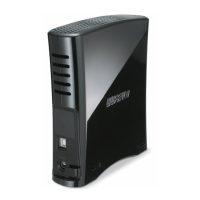
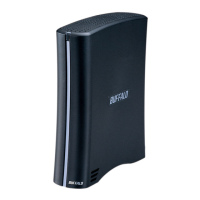
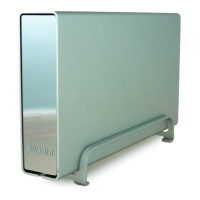
Buffalo DriveStation Duo 2TB
2 pages
Print Icon
To Next Page IconTo Next Page
Loading...
DriveStation
TM
Duo
High Performance
Two high-speed 7,200 RPM
SATA hard drives in one
• Dual Interface: USB 2.0 and FireWire 400
RAID Support
Supports RAID 1, Spanning and Standard Modes
Easy-to-Use Windows
®
RAID Utility for Changing
RAID Modes
Simple Install and Management
• Easy set-up - does not require drivers
• Pre-formatted for immediate use
Auto power feature - turns on and off
automatically with your computer
Secure Back-up Solution
SecureLockWare™ Software for Windows
®
PC
Encrypts your data from unauthorised access
Memeo™ AutoBackup Software for Windows PCs
included
Key Specications
Plug and play external storage device with data
redundancy. Quick and easy solution to store, access,
back-up and transfer, photos, videos and other les.
The DriveStation Duo can increase the capacity of your
computer using the two spanning hard drives, or can
provide the extra security of automatic mirroring in
one affordable box. Available in 1.0TB and 2.0TB
DriveStation
TM
Duo
www.buffalotech.com
External Storage
Maximum Storage or Maximum Reliability
Get maximum storage with the increased capacity of two spanning hard drives
or the extra security of automatic mirroring in one affordable box.
MAXIMUM STORAGE
FULL CAPACITY MODE
MAXIMUM RELAIBILITY
RAID 1”MIRRORING” MODE
Two Security Options
1) Prevent access to entire drive 2) Encrypt individual file or folder
Question and Answer IconNeed help?

Do you have a question about the Buffalo DriveStation Duo 2TB and is the answer not in the manual?

Summary

DriveStation Duo Product Overview

Product Description

Plug and play external storage offering data redundancy, quick access, backup, and file transfer capabilities.

Key Specifications

High Performance Features

Features two high-speed 7,200 RPM SATA hard drives and dual USB 2.0/FireWire 400 interface.

RAID Support Capabilities

Supports RAID 1, Spanning, and Standard Modes with an easy-to-use Windows RAID utility.

Simple Install and Management

Offers easy setup without drivers, pre-formatted drives, and automatic power management.

Secure Backup Solutions

Includes SecureLockWare for data encryption and Memeo AutoBackup software for PCs.

Storage and Reliability Modes

Maximum Storage Mode

Utilizes full capacity mode for increased storage by spanning two hard drives.

Maximum Reliability Mode

Employs RAID 1 mirroring for enhanced data security and redundancy.

Security Options

Drive-Level Access Prevention

Option to prevent access to the entire drive for enhanced security.

File and Folder Encryption

Allows encryption of individual files or folders for granular data protection.

Internal Hard Drives Specifications

Interface Specifications

Other Specifications

Product Part Numbers

About Buffalo

Buffalo DriveStation Duo 2TB Specifications

General IconGeneral
BrandBuffalo
ModelDriveStation Duo 2TB
CategoryStorage
LanguageEnglish

Related product manuals