English - 21
03 OVEN USE
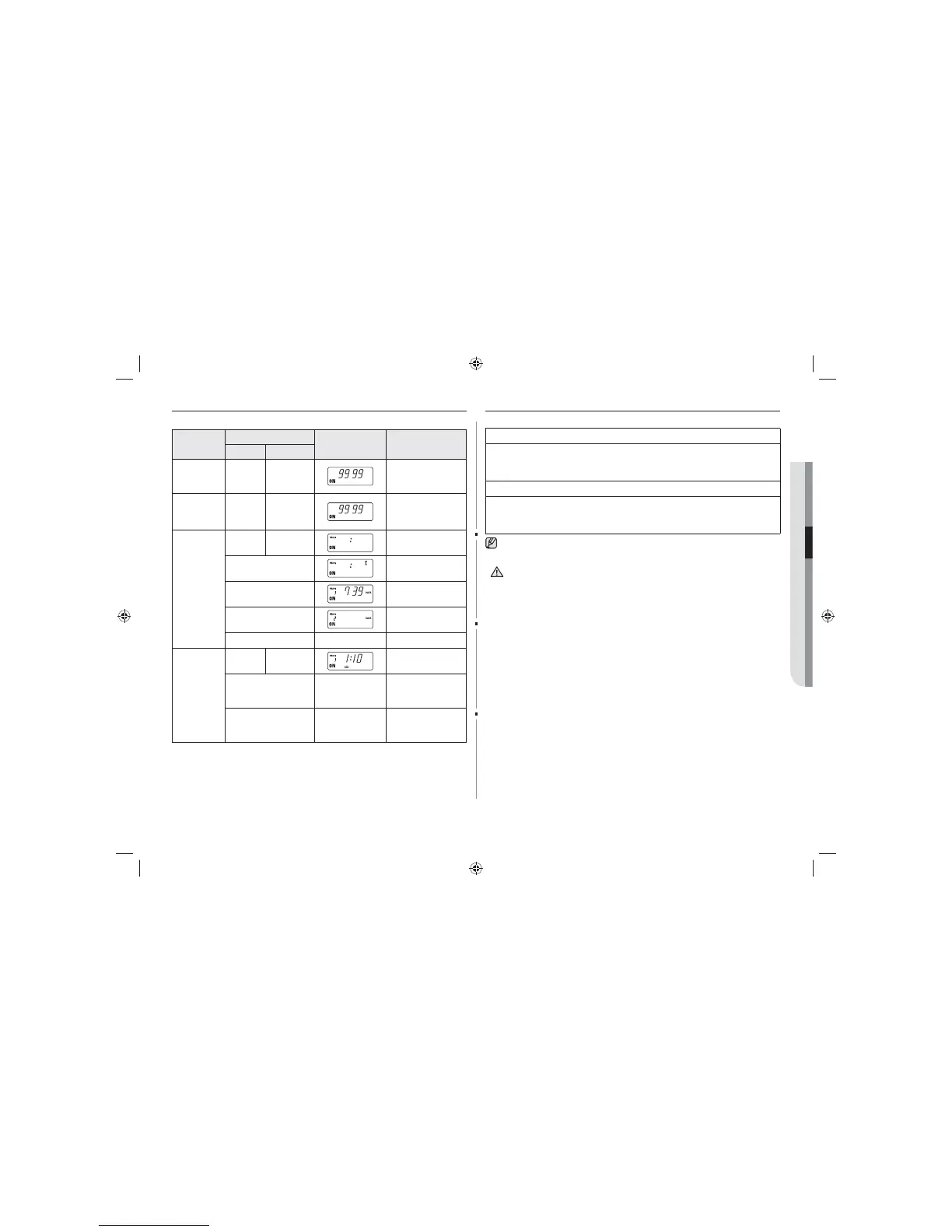
HIDDEN KEYS
Note: Press Key 1 and then the next one. Hold for 2 secs.
Feature
Key Entry
Display Remark
Key 1 Next
Continuity
time total
CANCEL 1
Hold together for
2 sec.
Unit: 10 hrs.
Magnetron
oscillating
time total
CANCEL 2
Hold together for
2 sec.
Unit: 1 hr.
Number
of times
of use by
memory
program
code
CANCEL START
Hold together for
2 sec.
Code No.
(Data display after
2sec.)
739 times of use
(New code can be set
after data display)
CANCEL (Mode cancel)
Heating
time per
memory
program
code
(Automatic
sequential
display)
CANCEL PROGRAM
Hold together for
2 sec.
(Sequentially
displays for 3 sec
from 1 to 30)
CANCEL (Mode cancel)
CARE OF YOUR MICROWAVE OVEN
Cleaning the Microwave Oven
1. Unplug the oven from the electrical socket before cleaning.
2. Clean the inside of the oven. Wipe up all spills with a damp cloth. Kitchen
detergent solution may be used if the oven gets too dirty. Do not use harsh
detergents or abrasives.
3. Clean the outside of the oven with soap and water, then dry with a soft cloth.
4. When you clean the window of the door, be sure to use a soft cloth after washing
with very mild soap and water. Do not use window cleaner as the front door can
be scratched by harsh soap or cleaners.
If food remnant or spilled liquids stick to the oven walls, or between door seal and
door surface, they will absorb microwaves possibly resulting in arcing or sparks.
Make sure that water does not get into the back ventilation or control panel
opening.
CAUTION
GK640-E_GK641-E_XEU_DE68-04279B-01_EN.indd 21 2014-06-27 6:49:54


 To Next Page
 Loading...