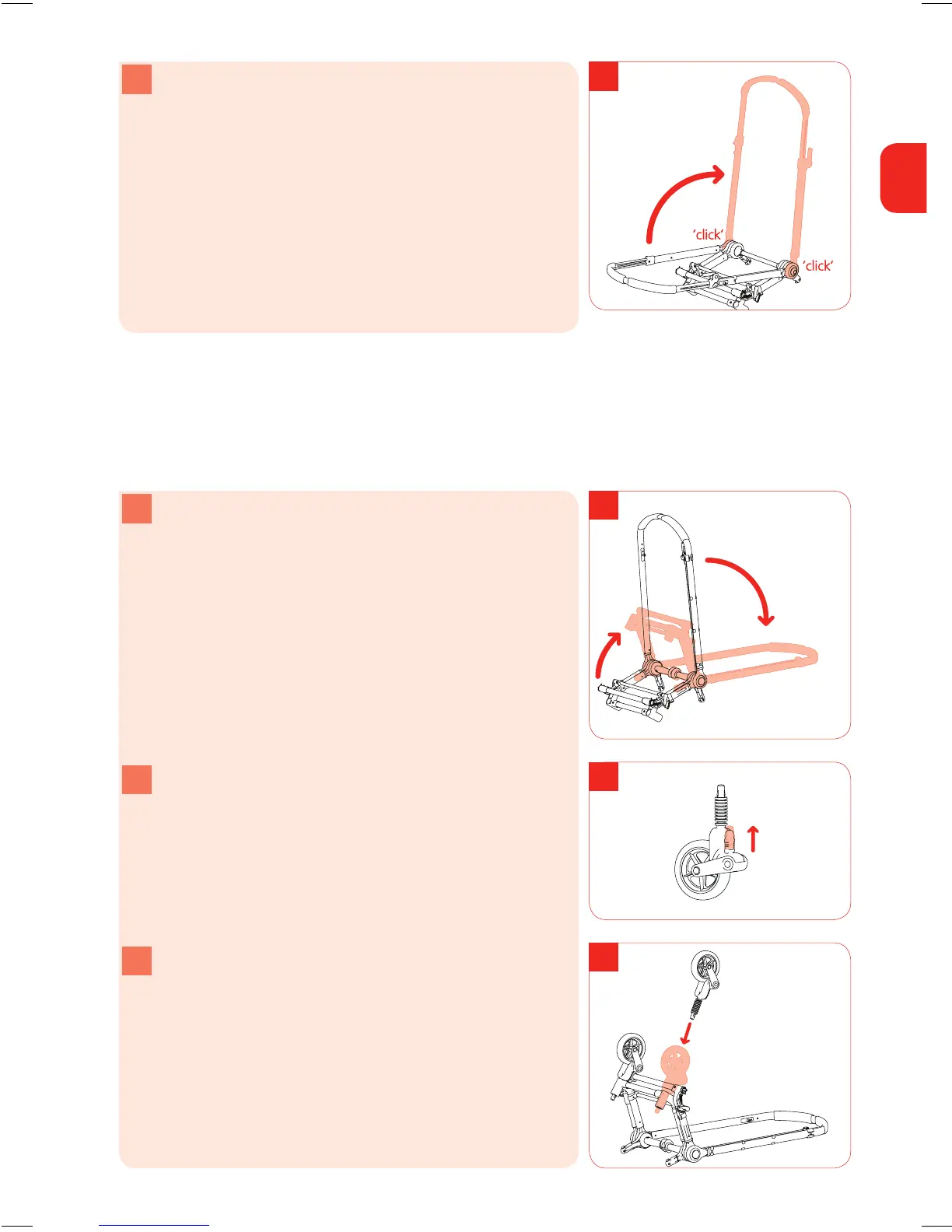
e Move the handlebar upwards and away from you and
let go of the white buttons. You hear a ‘click’ when the
handlebar is upright.
swivel wheels
The swivel wheels provide optimum manoeuvrability.
step 2 placing the swivel wheels in the holders
a Without releasing it, move the handlebar to the floor.
The wheel axles are now facing upwards. It is easy to
install the wheels this way..
b Move the white sliding buttons upwards. These are the
swivel wheel locks.
c Stand with wheel axles in front of you. With the wheel
facing upward and the swivel wheel lock facing away
rom you, push the swivel wheel into the holder.
d. You will hear a ‘click’ for each wheel. The swivel wheels
are now attached.
Note Do not fit the swivel wheels on the wrong side of
the holder.



 To Next Page