BUGERA V5 • pg 8
www.bugera-amps .com
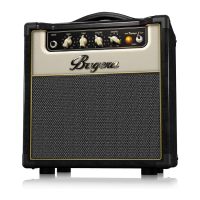
BUGERA V5 Controls
Step 2: Controls
Paso 2: Controles
Étape 2 : Réglages
POWER SOURCE – Connect the included IEC cable to this
socket and to a mains outlet.
TOMA DE CORRIENTE – Conecte el cable IEC incluido a esta
toma y a una salida de corriente.
EMBASE SECTEUR – Connectez le cordon secteur fourni à
cette embase et au secteur.
INPUT – Connect your guitar to this jack.
INPUT – Conecte su guitarra a esta toma.
INPUT – Connectez votre guitare à ce Jack.
GAIN – Adjusts the amount of input gain, harmonics
and overdrive.
GAIN – Este control le permite ajustar la cantidad de
ganancia de entrada, armónicos y saturación.
GAIN – Détermine le gain d'entrée, les harmoniques et la
saturation.
VOLUME – Adjusts the overall volume output of the speaker
or headphones.
VOLUME – Le permite ajustar el volumen de salida global
del altavoz o los auriculares.
VOLUME – Détermine le volume de sortie général dans le
haut-parleur ou dans le casque.
REVERB – Adjusts the amount of reverb effect.
REVERB – Ajusta la cantidad de efecto reverb.
REVERB – Détermine le taux de réverbération.


 To Next Page