Nivotemp NT 61D, Nivovent NV 71D
6 Cleaning and Maintenance
This device is maintenance-free.
The method for cleaning the devices must be adapted to the IP protection class of the devices. Do not use cleaners which could
damage the device materials.
For versions with filter:
The filter element must be replaced as needed, at least 1x annually. In exceptional cases a small amount of oil can be added via
the filter.
During maintenance, remember:
– The equipment must be maintained by a professional familiar with the safety requirements and risks.
– Only perform maintenance work described in these operating and installation instructions.
– When performing maintenance of any type, observe the respective safety and operation regulations.
6.1 Replacing the filter element
Replace the filter element as follows:
– Temporarily shut down the system.
– The filter cover counter-clockwise to open.
– Remove the filter element and dispose according to legal regulations.
– Insert the new filter element. Be sure to use the correct filter fineness!
– Screw on the filter cover.
– For filters with optical contamination indicator: Set the display to zero.
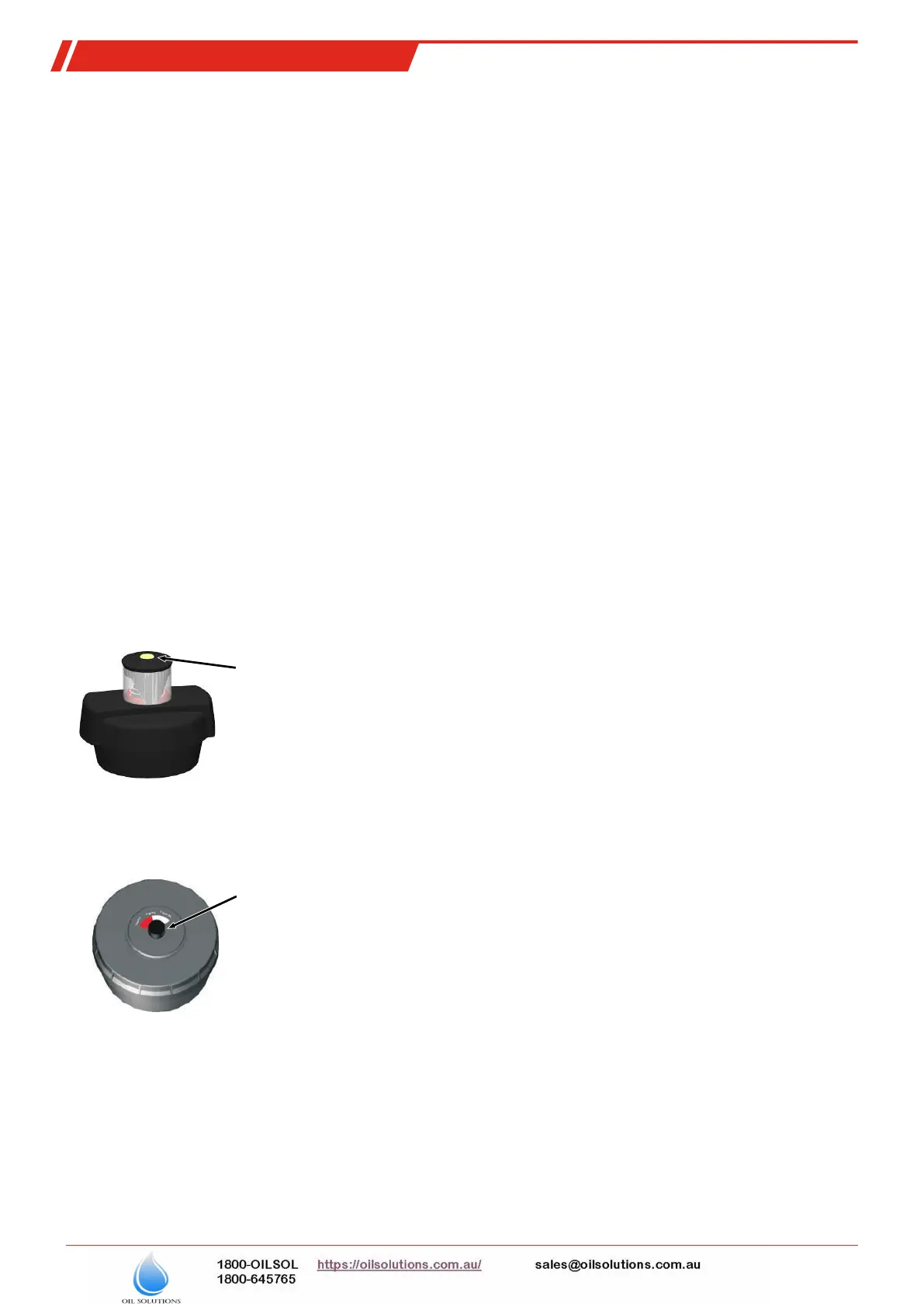
Hydac filter
When the maximum display value is reached, the red indicator piston will lock in place, indicating the filter service is required.
Press the yellow Reset button to reset the display to zero.
Button for resetting the indicator
Filtration Group filter
Filter contamination is indicated in percent (50%, 75% and 100 %). To reset the display to zero, turn the knob in the direction of
the arrow until the red part of the indicator disc is turned all the way back.
Knob for resetting the indicator
6.2 Adding small amounts of oil
Nivovent type with BFA or SSR option only:
– Temporarily shut down the system.
– The filter cover counter-clockwise to open.
– Remove the filter element.
– Slowly add oil through the nodular holes.
– Reinsert the filter element and close the cover.
– Restart the system.
26 Bühler Technologies GmbH
BE100017 ◦ 01/2020


 To Next Page