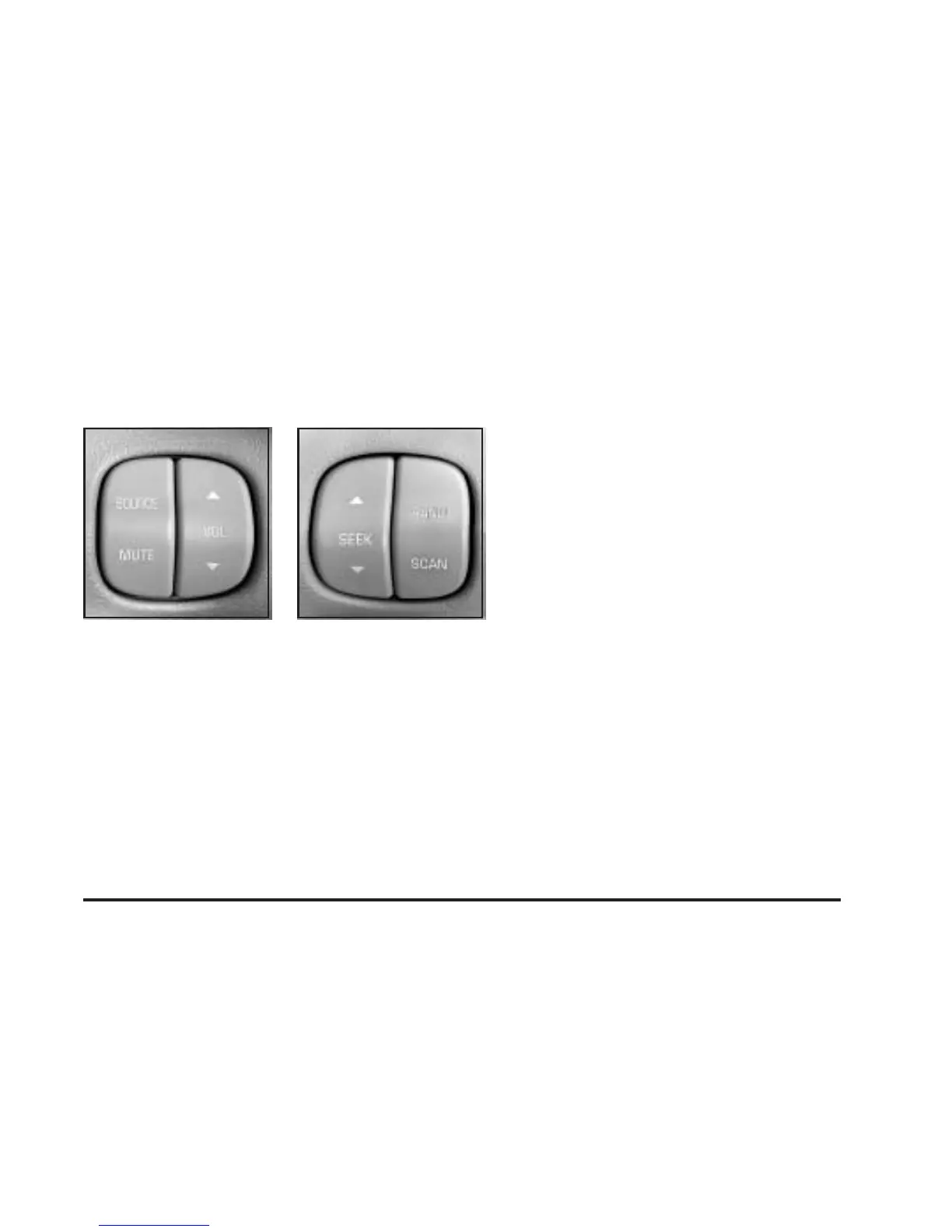
Audio Steering Wheel Controls
If your vehicle has this feature, you can control certain
radio functions using the buttons on your steering wheel.
SOURCE: Press this button to play a cassette tape,
CD, or a DVD (if equipped) when listening to the radio.
If a cassette tape, and CD, and/or DVD are loaded,
the system will go to the tape play first.
MUTE: Press this button to silence the system. Press it
again, or any other radio button, to turn on the sound.
Q VOL R (Volume): Press the up or down arrow
to increase or decrease volume.
Q SEEK R: Press the up arrow to seek to the next
station and the down arrow to seek to the previous
station. The sound will mute while seeking. When
playing a cassette tape or a CD, press the up arrow to
hear the next selection.
BAND: Press this button to choose FM1, FM2, AM, or
XM1 or XM2 (48 contiguous US states, if equipped).
SCAN: Press this button to scan your radio preset
stations. The radio will scan to the first preset station
stored on your pushbuttons, play for a few seconds, then
go on to the next preset station. The radio will scan
preset stations that are in the selected band and only to
those with a strong signal. Press this button again to
stop scanning.
DVD Distortion
You may experience video distortion when operating
cellular phones, scanners, CB radios, Global Position
Systems (GPS)*, two-way radios, mobile fax, or
walkie talkies.
It may be necessary to turn off the DVD player when
operating one of these devices in or near the vehicle.
*Excludes the OnStar
®
System.
3-129











 To Next Page