12 In Brief
Memory Features
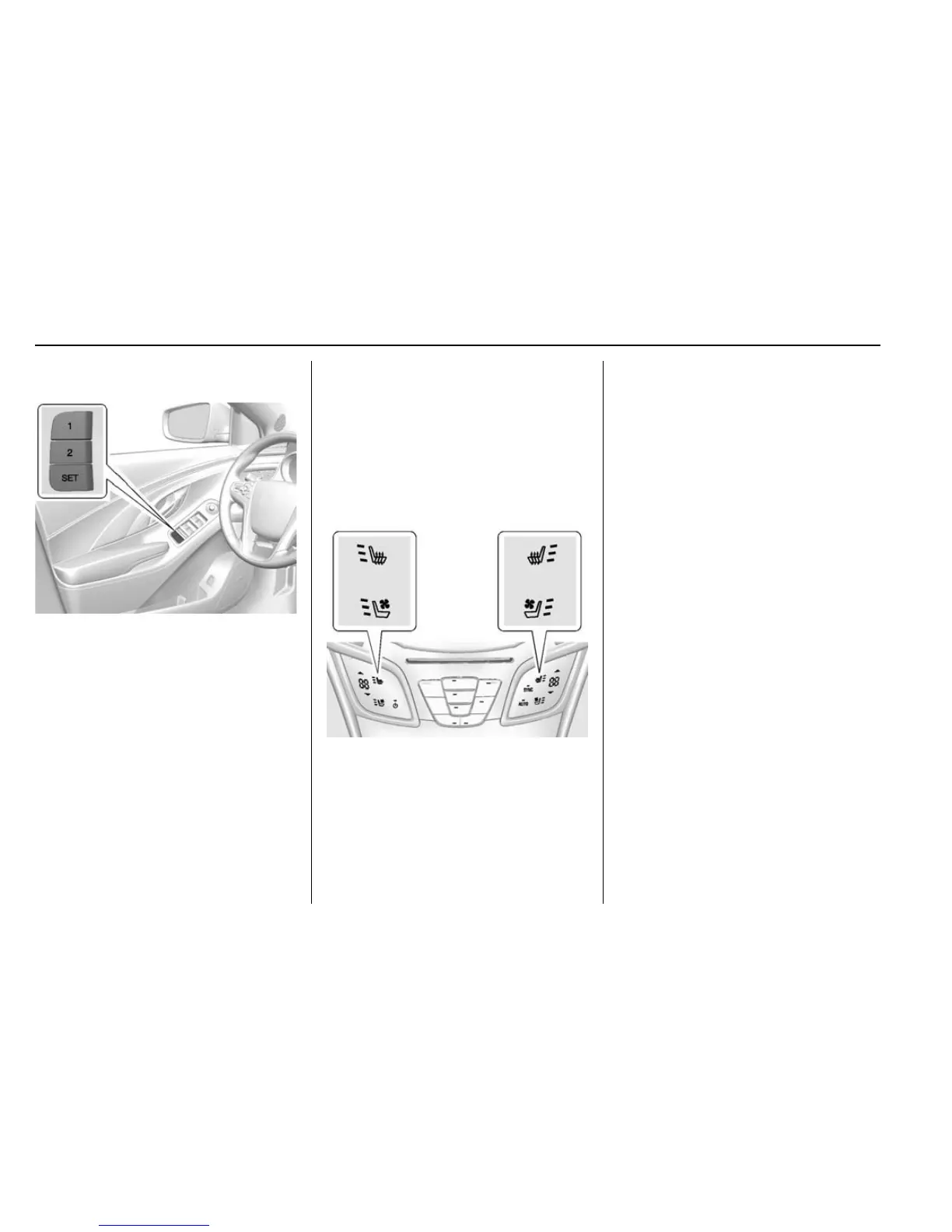
If equipped, the 1, 2, and SET
buttons on the driver door are used
to manually store and recall the
driver seat, and outside mirror
positions.
Automatic Memory Recall and/or
Easy Exit Recall features may be
enabled in the vehicle
personalization menus. These
features allow the seat, and outside
mirrors positions to automatically
recall upon turning the ignition on or
off upon exiting the vehicle. The
positions recalled are those
previously stored to the 1 or 2
buttons.
See Memory Seats 0 55 and
Vehicle Personalization 0 139.
Heated and Ventilated
Seats
Heated and Ventilated Seat
Buttons Shown, Heated Seat
Buttons Similar
If available, the buttons are part of
the climate control system on the
center stack. To operate, the ignition
and the climate control system must
be on. If the climate control system
is off, press the
O button to turn
it on.
Press
M or L to heat the driver or
passenger seat cushion and
seatback.
Press
C or {, if equipped, to
ventilate the driver or passenger
seat. A ventilated seat has a fan
that pulls or pushes air through the
seat. The air is not cooled.
Press the button once for the
highest setting. With each press of
the button, the seat will change to
the next lower setting, and then to
the off setting. The lights near the
heated or ventilated seat symbol on
the display indicate three for the
highest setting and one for the
lowest.
See Heated and Ventilated Front
Seats 0 56.














 To Next Page