Infotainment System 185
Gracenote Options : Touch to
enable/disable Normalization used
to improve voice recognition and
media groupings. See CD Player
0 155, USB 0 158, Auxiliary Devices
0 164, and Bluetooth Audio 0 164.
XM Channel Art : Touch to enable/
disable the XM Audio page
background on the XM Channel
display.
Max Startup Volume : Touch to set
the maximum volume level for
startup that will be used even if a
higher volume had been set when
the radio was turned off.
Number of Favorite Pages : Touch
to select the number of favorite
pages to be displayed.
XM Categories : Touch to
customize which available XM
Categories are used and displayed.
Software Version Information :
Touch to display information about
the system and update software if
available.
Phone Settings
See Bluetooth 0 197.
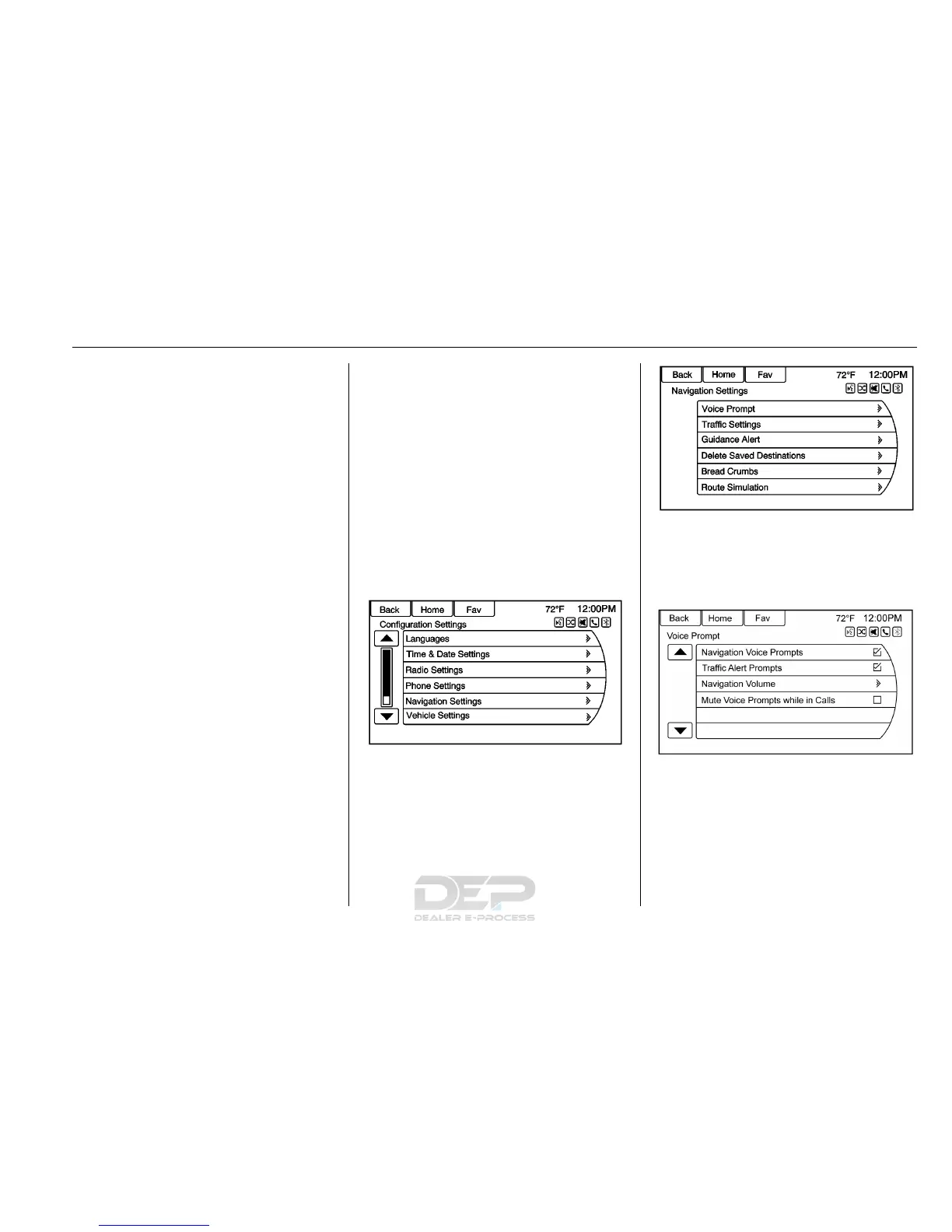
Navigation Settings
Touch Config on the Home Page to
enter the setup menu. Turn the
Z knob or touch-tap the scroll
bar until the Navigation Settings
option displays. Select this feature
to make changes to Voice Prompt,
Traffic Settings, Guidance Alert,
Delete Saved Destinations, Bread
Crumbs, and Route Simulation.
Navigation Settings Button
Various navigation system settings
are available through the
Configuration Settings menu. Some
options are only available after a
route is planned.
Touch Navigation Settings to access
the navigation system settings.
Voice Prompt
The Voice Prompt menu allows
changes to the voice prompt
features.
Navigation Voice Prompts : Select
the On or Off button to turn the
voice instructions on or off while
traveling on a planned route.













 To Next Page