In Brief 1-15
2. Press the + (plus) end of the
button on the top of the shift
lever to upshift, or push the −
(minus) end of the button to
downshift.
See Manual Mode on page 9-24.
Vehicle Features
Steering Wheel Controls
The infotainment system can be
operated by using the steering
wheel controls. See "Steering
Wheel Controls" in the infotainment
manual.
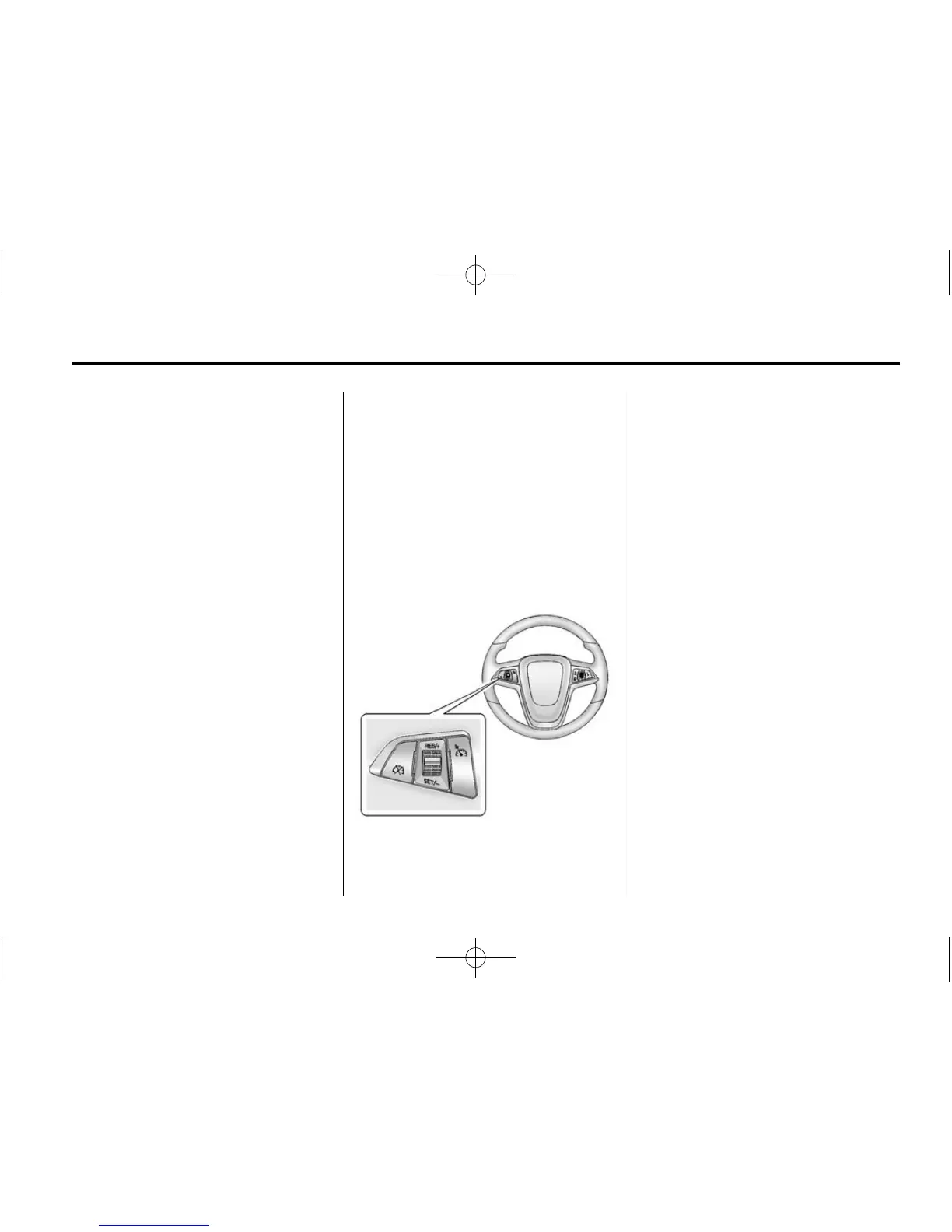
Cruise Control
1 : Press the upper or lower
portion of the button to turn the
cruise control system on or off. An
indicator light will turn on or off in
the instrument cluster.
RES/+: Move the thumbwheel up
briefly to make the vehicle resume
to a previously set speed or hold
upwards to accelerate. If cruise
control is already active, use to
increase vehicle speed.
SET/−: Move the thumbwheel down
briefly to set the speed and activate
cruise control. If cruise control is
already active, use to decrease
speed.
* : Press to disengage cruise
control without erasing the set
speed from memory.
See Cruise Control on page 9-30.














 To Next Page