5-2 Instruments and Controls
Object Detection System
Messages . . . . . . . . . . . . . . . . . . 5-33
Ride Control System
Messages . . . . . . . . . . . . . . . . . . 5-33
Anti-theft Alarm System
Messages . . . . . . . . . . . . . . . . . . 5-33
Starting the Vehicle
Messages . . . . . . . . . . . . . . . . . . 5-34
Tire Messages . . . . . . . . . . . . . . . 5-34
Transmission Messages . . . . . 5-34
Window Messages . . . . . . . . . . . 5-35
Vehicle Personalization
Vehicle Personalization . . . . . . 5-35
Universal Remote System
Universal Remote System . . . 5-39
Universal Remote System
Programming . . . . . . . . . . . . . . . 5-39
Universal Remote System
Operation . . . . . . . . . . . . . . . . . . 5-42
Controls
Steering Wheel
Adjustment
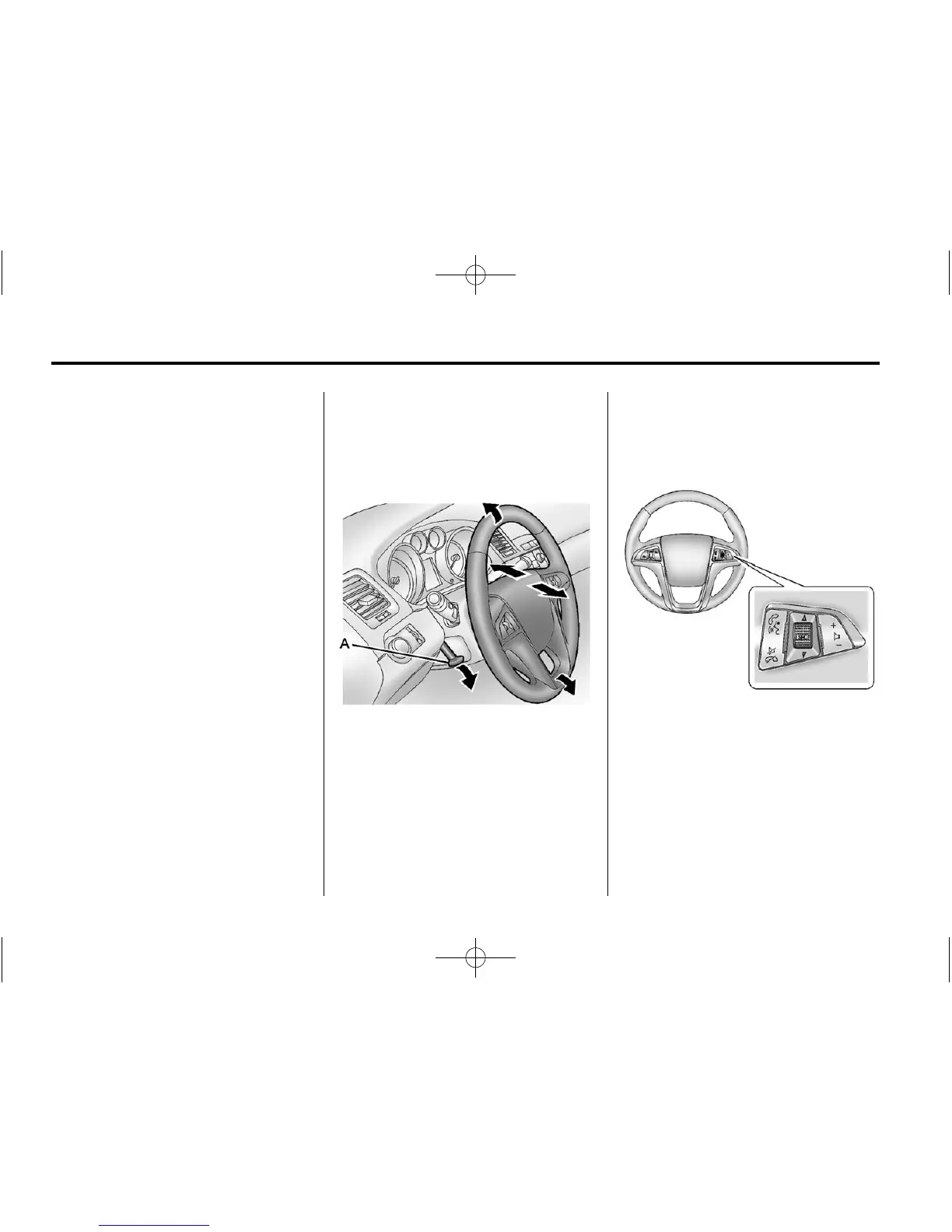
To adjust the s t e e r i n g wheel:
1. Pull the lever (A) down.
2. Move the steering wheel up
or down.
3. Pull or push the steering wheel
closer or away from you.
4. Pull the lever (A) up to lock the
steering wheel in place.
Do not adjust the steering wheel
while driving.
Steering Wheel Controls
For vehicles with audio steering
wheel controls, some audio controls
can be adjusted at the steering
wheel.
b / g (Push to Talk): For vehicles
with a Bluetooth, OnStar,
or navigation system, press to
interact with those systems. See
Bluetooth (Overview) on page 7�36
or Bluetooth (Infotainment Controls)



 To Next Page