EasyManua.ls Logo

Bunker Hill Security 64759 - User Manual

Bunker Hill Security 64759
12 pages
Print Icon
To Next Page IconTo Next Page
Loading...
Visit our website at: http://www.harborfreight.com
Email our technical support at: productsupport@harborfreight.com
Owners Manual & Safety Instructions
Save This Manual Keep this manual for the safety warnings and precautions, assembly,
operating, inspection, maintenance and cleaning procedures. Write the product’s serial number in the
back of the manual near the assembly diagram (or month and year of purchase if product has no number).
Keep this manual and the receipt in a safe and dry place for future reference. 19k
When unpacking, make sure that the product is intact
and undamaged. If any parts are missing or broken,
please call 1-888-866-5797 as soon as possible.
Copyright
©
2018 by Harbor Freight Tools
®
. All rights reserved.
No portion of this manual or any artwork contained herein may be reproduced in
any shape or form without the express written consent of Harbor Freight Tools.
Diagrams within this manual may not be drawn proportionally. Due to continuing
improvements, actual product may differ slightly from the product described herein.
Tools required for assembly an d se rv ic e may n ot b e in cl uded.
Read this material before using this product.
Failure to do so can result in serious injury.
SAVE THIS MANUAL.

Questions and Answers

Summary

Safety and Manual Handling

Product Serial Number Recording

Record the product's serial number in the manual for future reference.

Manual Storage

Keep this manual and receipt in a safe, dry place for future reference.

Warning Symbols and Definitions

Safety Alert Symbols

Explains DANGER, WARNING, CAUTION, and NOTICE symbols for hazard levels.

Important Safety Information

Installation Area Safety

Covers clean area, good lighting, and checking for utilities before installation.

Product Handling and Safety

Covers checking parts, using correct replacements, proper dress, and eye protection.

Maintenance and Usage Precautions

Covers product care, overreaching, setup under influence, and qualified repair.

Battery Safety and Disposal

Covers Li-Ion battery handling, recycling, and disposal procedures.

Specifications

Lamp and Battery Details

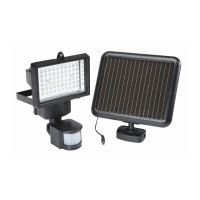
Details about the lamp (60 SMD LEDs) and battery (3.7 VDC, 1500 mAh Li-Ion).

Setup and Installation

Pre-Installation Steps

Read safety, check parts list, decide placement for optimal sunlight.

Mounting Components

Mount solar panel and lamp unit securely to a solid surface.

Connecting and Adjusting

Connect solar cable and adjust motion detector head for desired coverage.

Component Overview

Main Components

Identifies Lamp, Solar Panel, Motion Detector, Battery Housing, and Power Switch.

Power Connection

Details the Solar Power Cable connecting the panel to the lamp.

Operating Instructions

Initial Battery Charging

Charge battery for 3 days of full sunlight before initial use.

Power Switch Operation

Explains OFF, ON, and AUTO modes for light control.

Motion Detector Control Knobs

Control Knob Functions

Introduces SENS (sensitivity), TIME (duration), and LUX (light level) knobs.

SENS Sensitivity Adjustment

How to adjust motion sensitivity based on ambient temperature and object size.

TIME Light Duration Adjustment

How to set the duration the light stays on after motion detection.

LUX Light Level Adjustment

How to set the darkness level required for the light to activate.

Testing the Light

Test Procedure

Walk test to check detection, activation, and adjust settings.

Maintenance and Servicing

Inspection and Cleaning

Check for damage, clean surfaces, and maintain solar panel for efficiency.

Battery Removal and Disposal

Accessing the Battery

Locate, turn off lamp, and remove screws to access the battery.

Disconnecting and Disposing

Disconnect battery and follow proper recycling or disposal procedures.

Troubleshooting

Light Not Turning On

Possible causes and solutions for the light failing to activate.

Daytime Activation Issues

Causes and solutions for the light turning on during daylight hours.

Intermittent or Flickering Light

Causes and solutions for flashing or clicking sounds during operation.

Light Stays On Continuously

Causes and solutions for the light remaining illuminated constantly.

Motion Detection Problems

Causes and solutions for the light turning on/off unexpectedly.

Parts List and Diagram

Parts Inventory

Lists all product components with descriptions and quantities.

Assembly Visuals

Provides a diagram showing how parts fit together for assembly.

Limited 90 Day Warranty

Warranty Coverage Details

Outlines the 90-day period and conditions for defects in materials and workmanship.

Warranty Exclusions and Limitations

Lists conditions that void the warranty or limit liability for misuse and wear.

Warranty Claim Procedure

Instructions on how to return the product for service or replacement.

Bunker Hill Security 64759 Specifications

General IconGeneral
BrandBunker Hill Security
Model64759
TypeFlood Light
Light TypeLED
Color Temperature6000K
Motion SensorYes
Battery TypeLithium-Ion
Mounting TypeWall Mount
Warranty90 Days

Related product manuals