EasyManua.ls Logo

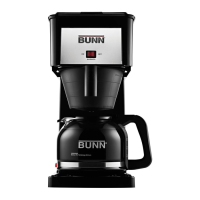
Bunn GRX - User Manual

Bunn GRX
60 pages
Print Icon
To Next Page IconTo Next Page
Loading...
SPEED BREW OWNER’S MANUAL
For models: GRX, BX, SBS, CSB1, CSB2, BTX & CSB3T | English: Pages 2 - 20
Para modelos: GRX, BX, SBS, CSB1, CSB2, BTX y CSB3T | Español: Páginas 21 - 40
Modèles: GRX, BX, SBS, CSB1, CSB2, BTX et CSB3T | Français: Pages 41 - 60
ENGLISH

Other manuals for Bunn GRX

Questions and Answers

  • R
    Ruth GatesAug 14, 2025
    Why is my Bunn GRX Coffee Maker coffee cold?
    • L
      Laura FernandezAug 14, 2025
      If your Bunn Coffee Maker is producing cold coffee, ensure the brewer is plugged in and the vacation switch on the side is turned on, allowing 15 minutes for the water to reach the correct temperature. For BX, GRX, and NHBX models, check that the warmer switch is in the “on” position. If you have a BTX model with a thermal carafe, pre-heating it will help keep your coffee warm longer.
  • C
    Christian GonzalesAug 17, 2025
    What to do if Bunn GRX Coffee Maker funnel is overflowing?
    • D
      Dr. Brian RoseAug 18, 2025
      If your Bunn Coffee Maker's funnel is overflowing, make sure the lid is fully open. Note that the brewer isn't designed to hold water in the upper tray for a long time. Also, remove the top lid to check that the rocker arm is correctly snapped in place and the rubber stopper area is thoroughly cleaned.
  • G
    Grace OrtizAug 21, 2025
    How to fix Bunn GRX not brewing?
    • N
      Nicholas HarrisAug 21, 2025
      If coffee is not coming out of your Bunn Coffee Maker, first ensure that the lid is closed. The brewer requires a minimum of 4 cups (20 oz) to start brewing. Also, inspect the sprayhead holes and clean them if needed. Deliming instructions are available.
  • A
    Arthur RodriguezAug 25, 2025
    Why does water flow from my Bunn Coffee Maker before the lid is closed?
    • B
      Benjamin JonesAug 26, 2025
      If water flows before the lid is closed, ensure the lid is fully open. The brewer isn't designed to hold water in the upper tray for long. Also, remove the top lid to check that the rocker arm is snapped in place and the rubber stopper area is clean.
  • C
    Carrie GibbsAug 29, 2025
    Why is my Bunn GRX only brewing a partial decanter?
    • J
      James StanleyAug 29, 2025
      If your Bunn Coffee Maker is brewing only a partial decanter, remember that some water is always absorbed by the coffee grounds and filter. Adjust the amount of water you input accordingly to compensate for this absorption.
  • P
    pamela93Sep 1, 2025
    What to do if my Bunn Brewing Systems coffee maker makes a rumbling noise?
    • D
      douglas67Sep 1, 2025
      A rumbling noise in your Bunn Brewing System coffee maker often indicates lime build-up on the heater. To resolve this, clean the unit following the instructions provided in the ROUTINE CLEANING section of the manual.
  • J
    Joe BriggsSep 5, 2025
    How to stop water flowing before the lid is closed on Bunn Brewing Systems?
    • G
      Gina JonesSep 5, 2025
      If water flows before the lid is closed on your Bunn Brewing Systems coffee maker: * Ensure the lid is completely open to properly activate the rubber stopper inside the pour-in bowl. * Keep in mind, the coffee maker isn't designed to hold water in the pour-in bowl overnight. * Check that the rubber stopper is correctly placed and the area is clean by removing the top cover.
  • J
    John HickmanSep 9, 2025
    Why is my Bunn Brewing Systems coffee cold?
    • C
      crystal97Sep 9, 2025
      If your Bunn Brewing System coffee is cold, it might be because the tank didn't reach the correct temperature before brewing. Ensure the coffee maker is plugged in and the Tank Power Switch is turned ON. If it wasn't on, allow approximately 15 minutes for the tank to heat up to the required operating temperature.

Summary

Getting Started

Support and Further Questions

Contact customer service or visit the website for product support and questions.

Coffee Maker Features

Safeguarding

Safety Precautions for Operation

Covers safe handling, electrical safety, usage restrictions, and precautions during brewing.

Cleaning and Maintenance Safety

Ensures safe practices for cleaning and maintenance, including cooling the unit.

Initial Setup

Critical Setup Warning

Emphasizes not plugging in the coffee maker until Step 5 to prevent damage.

Setup Procedure Steps

Step-by-step guide for setting up the coffee maker before first use.

How to Brew

Brewing Process Steps

Detailed steps for brewing coffee, including recommended water and coffee amounts.

Basic Cleaning

Basic Cleaning for Standard Models

Instructions for cleaning standard Speed Brew models, including dishwasher safety.

Basic Cleaning for Thermal Models

Specific cleaning instructions for thermal carafe models, including stain removal.

Cleaning the Sprayhead

Sprayhead Cleaning Procedure

Step-by-step guide to clean the sprayhead and remove mineral deposits.

Routine Cleaning

Routine Cleaning Procedure

Instructions for routine cleaning using vinegar to remove mineral deposits from the internal tank.

Draining the Coffee Maker

Draining Procedure

Steps for draining the coffee maker for transport, storage, or freezing prevention.

Troubleshooting

Troubleshooting: Coffee is Cold

Solutions for when the coffee maker is not brewing hot coffee.

Troubleshooting: Rumbling Noise

Addresses the cause of rumbling noises and how to resolve them.

Troubleshooting: Water Flows Before Lid is Closed

Solutions for water flowing before the lid is properly closed.

Troubleshooting: Funnel Overflows

Solutions for funnel overflow issues, including filter and sprayhead checks.

Troubleshooting: Coffee Only Partially Brewed

Solutions for situations where the coffee maker brews only a partial amount.

Troubleshooting: Brew Time is Too Slow

Addresses slow brewing times and potential causes like clogged sprayheads.

Troubleshooting: Coffee Maker Leaks

Solutions for leaks from the coffee maker, emphasizing no user-serviceable parts.

Troubleshooting: Coffee Doesnt Come Out

Solutions for when no coffee is dispensed, checking water levels and clogs.

Need Help? Contact Information

Provides contact information for customer support and online resources.

Warranty

Warranty Terms and Conditions

Details the warranty period, coverage, and limitations for the coffee maker.

Customer Remedies and Legal Rights

Outlines customer remedies and legal rights related to the warranty.

Trademarks

Lists registered trademarks associated with the BUNN brand and products.

Bunn GRX Specifications

General IconGeneral
Brewing Capacity10 cups
Carafe TypeGlass
ColorBlack
TypeDrip Coffee Maker
Capacity10 cups
Voltage120V
Power900 watts
Tank TypeStainless Steel
Brew Time3 minutes
Weight8 pounds
MaterialStainless Steel

Related product manuals