Need help?
Do you have a question about the BURY CC 9056 and is the answer not in the manual?
Provides a general introduction to the product and its features.
Covers essential safety precautions for installation and operation.
Outlines system purpose, limitations, and advice for safe operation while driving.
Details procedures for identifying and reporting device defects.
Lists all components included in the product packaging.
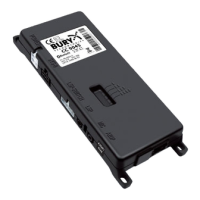
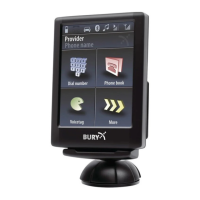
Detailed breakdown and explanation of each part of the kit.
Guides on selecting the optimal location and physically installing the device.
Explains how to connect various components to the main electronics unit.
Step-by-step instructions for installing the audio switchbox AC 5120.
Guides through initial setup, language selection, and basic device interaction.
Details touchscreen controls and the process for establishing a Bluetooth connection.
Overview of menu structure, dialling, phonebook, call lists, music, and messages.
Covers Bluetooth management, audio, display, and device settings for customization.
Comprehensive guide on accepting, making, ending, transferring, and conferencing calls.
Provides contact details for support and information on product warranty.
Covers intended use, regulatory approvals, and proper disposal guidelines.
 General
| Bluetooth | Yes |
|---|---|
| Microphone | Yes |
| Speaker | Yes |
| Bluetooth Version | 2.1 |
| Current Consumption Standby | Less than 1 mA |
| Operating Temperature | -20°C to +70°C |
| Compatibility | Universal |
| Functions | Hands-free calling |

 To Next Page