Short-time timer insert
Operation
| 1473-1-7950 — 5 —
Pos: 17 /#Neustruktur#/Modul-Struktur/Online-Dokumentation/Überschriften (--> Für alle Dokumente <--)/2. Ebene/G - L/Geräteeinstellung en @ 18\mod_1302768847744_ 15.docx @ 103548 @ 2 @ 1
4.3 Adjusting the device
Pos: 18 /DinA4 - Anleitung en Online/Inhalt/ti mer-controler- Jalousiesteuerung/ 6465/Geraeteeins tellungen - 6465 @ 23\mod_13 36985633995_15.d ocx @ 209340 @ 333 @ 1
The timer can be set via two programming modes.
In programming mode 1 the timer is set manually.
In programming mode 2 the timer is set via a preselection of fixed values.
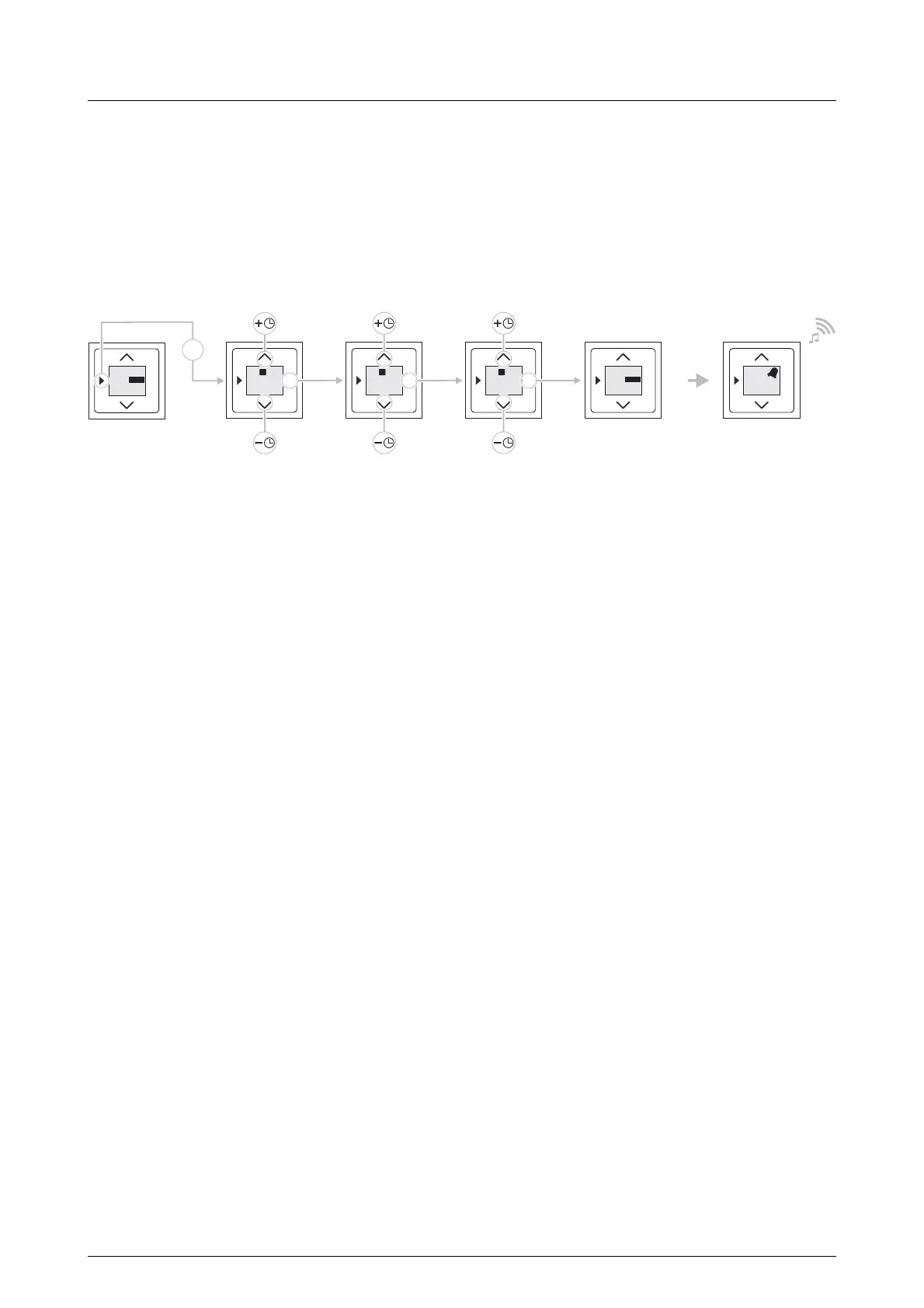
4.3.1 Programming mode 1
Fig. 3: Programming mode 1
To program the timer carry out the following steps:
1. Press the "Programming mode" button once.
- The timer changes to programming mode 1.
- The hour display will flash.
2. Set the hours via the arrow keys.
3. Confirm the entry with the "OK" button.
- The minute display will flash.
4. Set the minutes via the arrow keys.
5. Confirm the entry with the "OK" button.
– The seconds display will flash.
6. Set the seconds via the arrow keys.
7. Confirm the entry with the "OK" button.
The timer is ready to start.
OK
1:00
00
1
OK
1:
00
45
1
OK
1:45
45
1
OK
1:45
45
START
OK
0:00
00
START
1x
OK
0:00
00
2x


 To Next Page