Short-time timer insert
Operation
| 1473-1-7950 — 6 —
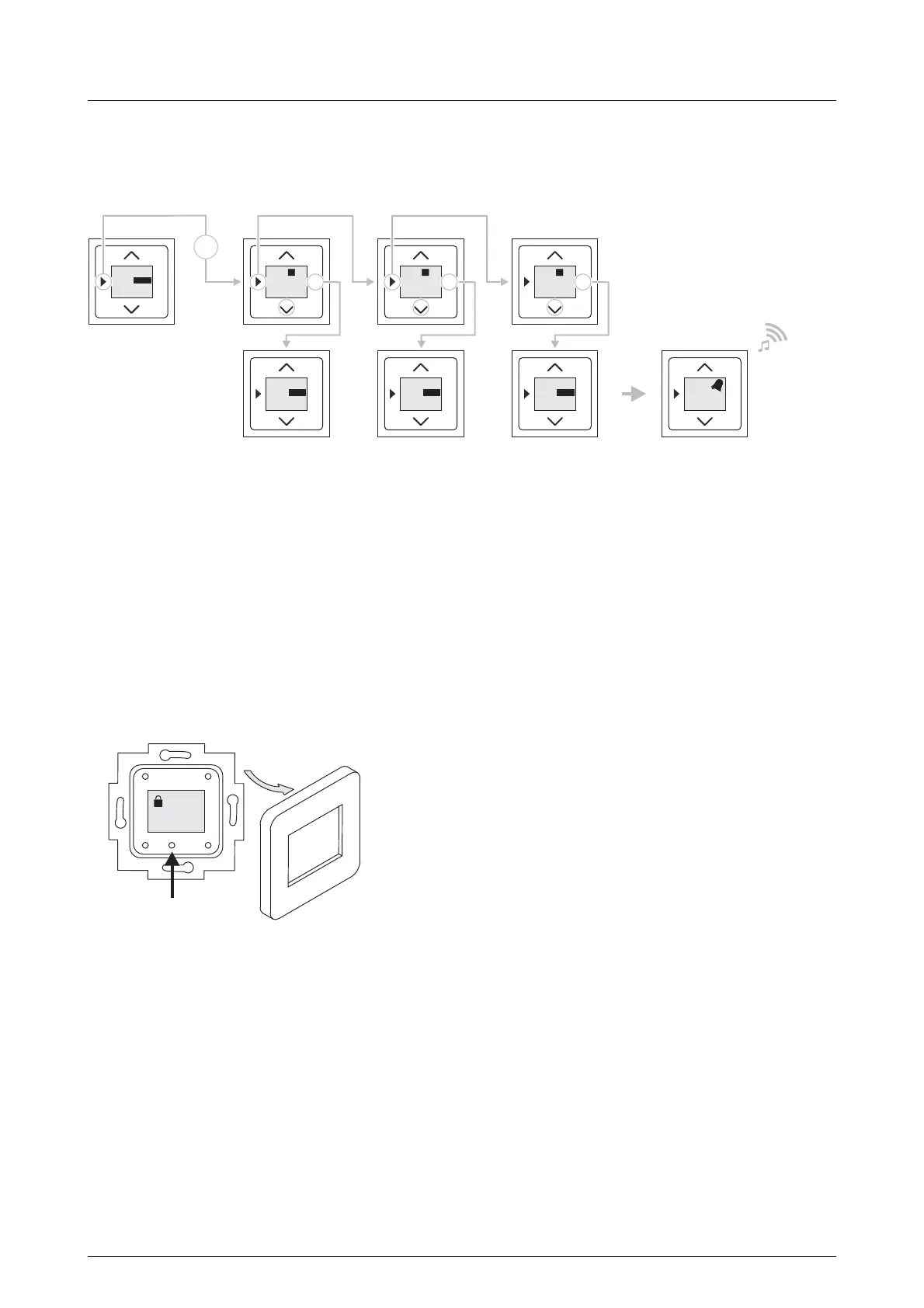
4.3.2 Programming mode 2
Fig. 4: Programming mode 2
In programming mode 2 the timer is programmed via a preselection of fixed values (15, 30 or 45 minutes).
To program the timer carry out the following steps:
1. Press "Programming mode" button twice.
- Fixed value "15 minutes" is displayed.
2. Press the "OK" button to take over the displayed value.
The fixed value will be adopted.
3. Alternatively: Press the "Programming mode" button to change to the next fixed value.
- The next fixed value is displayed.
After confirming the desired fixed value the timer is ready.
4.3.3 Blockage of time input
Fig. 5: Blockage of time input
To prevent an unauthorized change of the time the time setting can be blocked.
To block the time entry carry out the following steps:
1. Remove the cover disc.
- The blocking icon is shown in the display.
2. Push the blocking button in with a plastic pin.
- The blocking icon is shown in the display.
The input of time is now blocked.
Pos: 19 /#Neustruktur#/Modul-Struktur/Online-Dokumentation/Steuermodule - Online-Dokumentation (--> Für alle Dokumente <--)/++++++++++++ Seitenumbruc h ++++++++++++ @ 9\mod_1268 898668093_0.docx @ 52149 @ @ 1
OK
0:15
00
2
OK
0:00
00
START
OK
0:30
00
2
OK
0:45
00
2
OK
0:15
00
START
2x
OK
0:30
00
START
OK
0:45
00
START
OK
0:00
00
2x


 To Next Page