User instructions
avoid distortion.
MP3 player
NOTE:
Operation
EXTERNAL INPUT
Connecting external audio sources
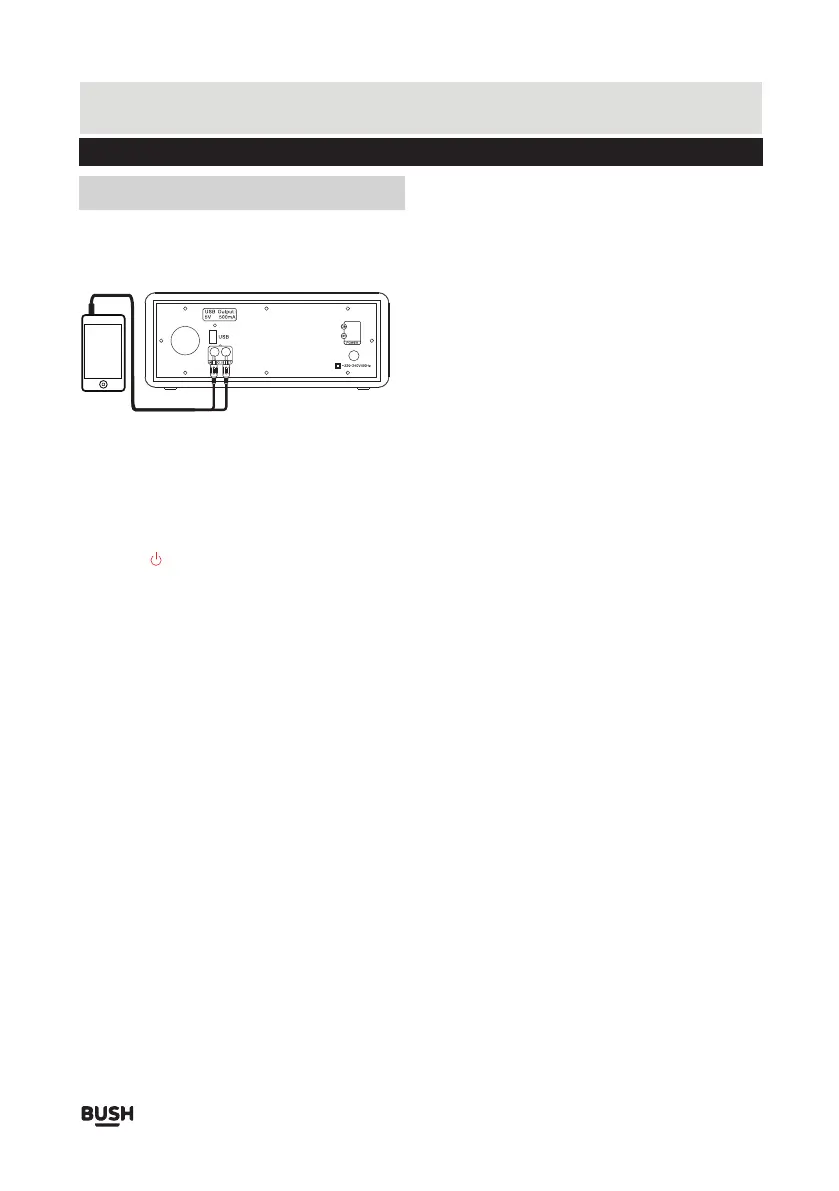
External audio sources such as iPods or MP3 players
can be connected by using a 3.5mm RCA audio cable.
1. Connect one end of the cable to the MP3 players
line output/headphone and the other end to the
AUDIO IN socket on the panel of the unit.
2. Press the /M button until you reach the AUX IN
mode, the indicator is solid yellow.
3. Adjust the volume to a comfortable level.
When connecting via the headphone output, the volume
of the Speaker system is affected by the volume control
on the player. Ensure that the player is set to 70-80% to
Audio cable
Page 5



 To Next Page