Daily use
Introducing the channel lists
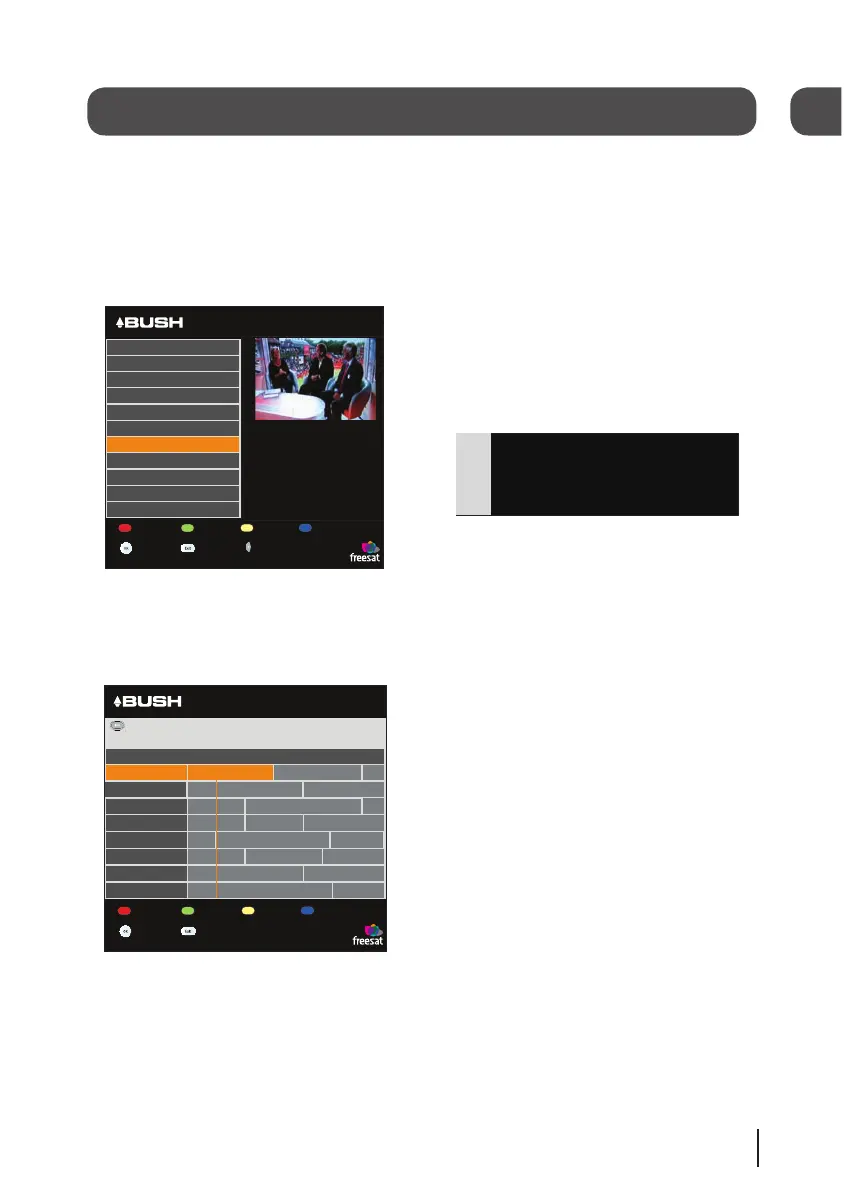
There are two channel lists available to
you;
The ‘Channel list’ shows all the available
channels that you can receive.
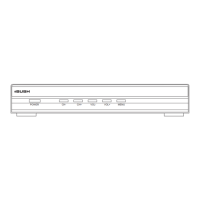
The ‘Programme list’ shows the
scheduled programmes available on each
channel.
You can use the arrow buttons to select
a different channel and use the coloured
buttons to move to a new page of
channels.
Press [OK] to watch the selected
programme.
Changing the channel
You can select the channel you want to
watch by using the [CH+] and [CH-}
buttons on the remote control.
Alternatively use the number buttons to
key in the channel number.
When you change the channel the info
screen will be displayed for a few
seconds. This shows the details of the
programme currently showing and the
next programme for the selected channel.
Changing the volume
You can change the volume by using the
[VOL+] and [VOL-} buttons on the remote
control. You can turn off the volume by
pressing the [MUTE] button. To turn it
back on press the [MUTE] button again.
Audio description
Audio description is an additional narra-
tion that describes all significant visual
information such as body language, facial
expression, scenery, costumes - anything
that is important to the plot of the story,
event or image.
Press the [AD] button to switch audio de-
scription on (if available). Press the [AD]
button again to switch it off.
Subtitles
Press the [SUB] button to display subtitles
(if available). Press the [SUB] button again
to turn them off.
4
04


 To Next Page