Page 4
Setting the time
The clock setting must be performed while in
STANDBY mode.
1: Ensure the mains power is connected and powered
ON.
2: Enter STANDBY mode (see page 3) if not already.
3: Press and hold the CLOCK/MEM button (6) for 1
second, until the clock digits on the display flash.
4: Use the TUNE+/HR button (8) to adjust the HOUR
digits, and the TUNE-/MIN button (7) to adjust the
MINUTE digits.
5: When finished press the CLOCK/MEM button (6) to
store the setting.
Setting the alarms
The alarm settings must be performed while in
STANDBY mode.
1: Ensure the mains power is connected and powered
ON.
2: Enter STANDBY mode (see page 3) if not already.
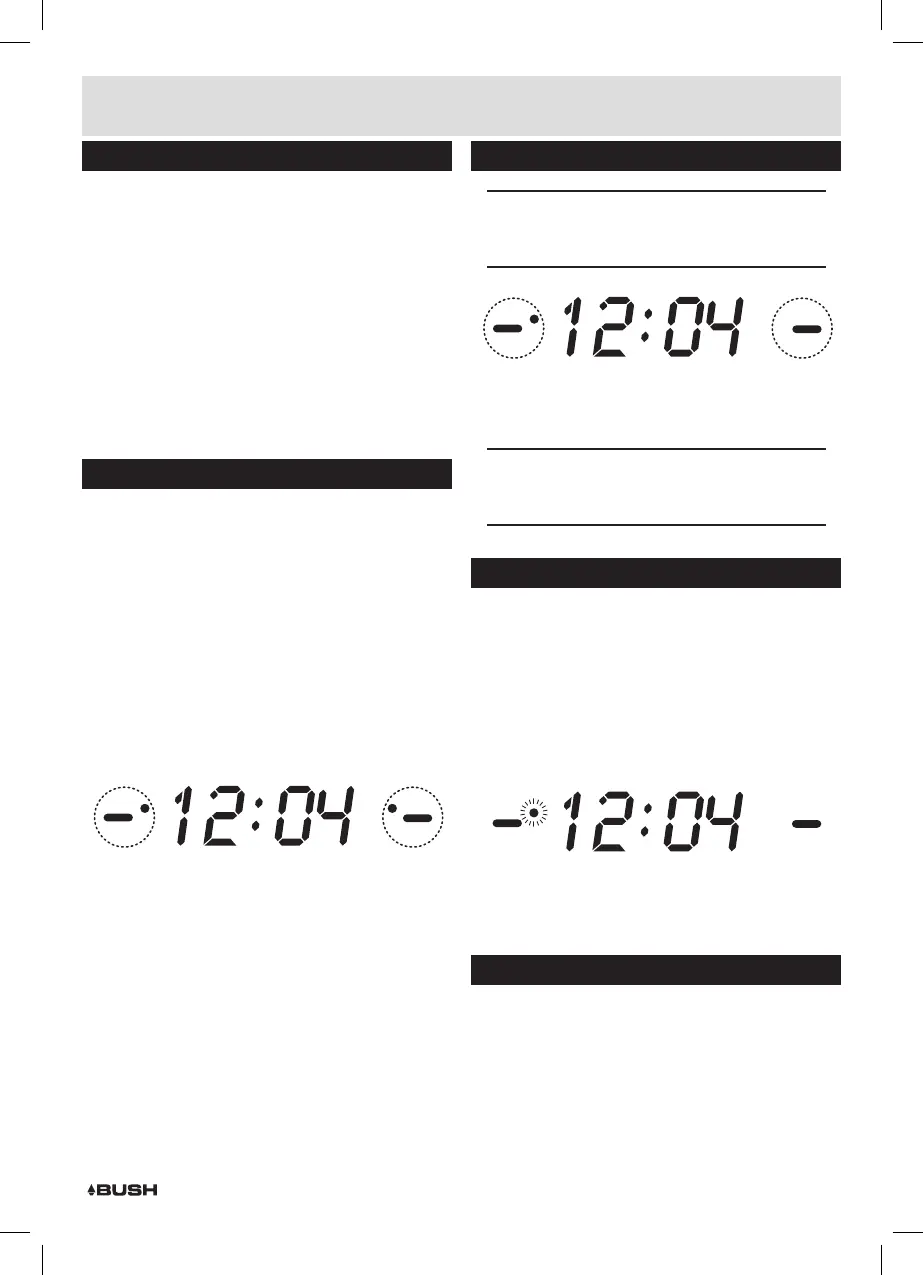
3: Press either VOL+/AL1 (ALARM1) (11) or VOL-/AL2
(ALARM 2) (10) button. The display flashes and a red
dot appears behind the AL1 or AL2 indicator on the
display.
4: Use the TUNE+/HR button (8) to adjust the HOUR
digits, and the TUNE-/MIN button (7) to adjust the
MINUTE digits.
BUZZER
ALARM1
RADIO
RADIO
BUZZER
ALARM2
5: Press the VOL+/AL1 button (11) or VOL-/AL2 button
(10) once more to store the setting.
6: The red dot will remain behind the AL1 or AL2
indicators to denote ALARM1 or 2 is active.
7: After programming the alarm time you will need to set
the alarm type.
Press the VOL+/AL1 (ALARM1) (11) or VOL-/AL2
(ALARM 2) (10) repeatedly to cycle through the
available options of:- BUZZER, RADIO or OFF (to
disable the alarm). Each press moves the red dot
on the display to the mode selected. When you find
the option you wish to use simply leave all buttons
untouched for 2 seconds to activate that option.
Setting the alarms (cont)
NOTE: The default alarm mode is BUZZER.
When the red dot disappears the alarm is no
longer active.
BUZZER
ALARM1
RADIO
RADIO
BUZZER
ALARM2
8: To stop the alarm sounding press the SOURCE/
ALARM OFF/STANDBY button (12).
9: To disable the alarm OFF, follow step 7.
NOTE: When setting an alarm to radio mode, the
last used volume level & station will be used. The
buzzer volume is not adjustable.
Snooze mode
When the alarm sounds, you may wish to delay the
alarm. Follow the below steps to activate the SNOOZE
function and delay the alarm for 9 minutes.
1: When the alarm is sounding press the SNOOZE /
SLEEP button (5) to activate the snooze function.
You will see a red dot flash behind the AL1 or AL2
indicator, depending on which alarm was sounding.
BUZZER
ALARM1
RADIO
RADIO
BUZZER
ALARM2
2: To disable the SNOOZE function at any time or to
cancel the alarm when it sounds next press the
SOURCE/ALARM OFF/STANDBY button (12).
Sleep timer
Should you wish to set a timer for the radio to enter
STANDBY mode follow the below steps.
1: Ensure the mains power is connected and powered
ON.
2: Tune to a radio station (page 5 (if not already)).
Installation


 To Next Page