Page 5
Sleep timer (cont)
3: Press the SLEEP button (5) to cycle through the
available time duration presets eg:- 90, 80, 70, 60,
50, 40, 30, 20, 10 & OFF. When you have selected the
duration you require leave all buttons alone for 2
seconds to activate the countdown timer.
4: When the timer expires the unit will enter STANDBY
mode.
Volume controls
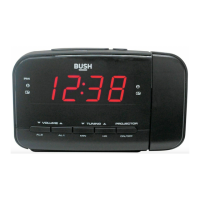
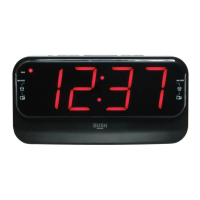
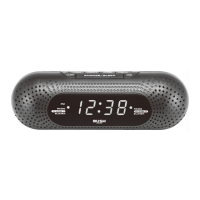
1: To increase the volume level press the VOL+/AL1
button (11).
2: You will see numeric digits appear on the display to
indicate the volume level 0 (lowest) - 16 (highest).
3: To decrease the volume level press the VOL-/AL2
button (10).
Radio operation
1: Ensure the mains power is connected and powered
ON, and the ANTENNA is extended (4).
2: Pressing the SOURCE/ALARM OFF/STANDBY button
(12) repeatedly switches between FM & MW modes.
3: After selecting the frequency band you will need to
tune a station. Press and hold the TUNE-/MIN button
(7) or TUNE+/HR button (8) to begin scanning up or
down the frequency range of the selected band.
4: To fine tune the frequency you can press the TUNE-/
MIN button (7) or TUNE+/HR button (8) to skip
0.1Mhz increments.
Saving & recalling presets
You can store up to 10 radio stations in preset
locations for FM & MW.
1: When you have tuned to a radio station you wish to
store as a preset, press & hold the CLOCK/MEM
button (6). You will see ‘P--’ flash on the display (‘--’
denotes the preset location number).
P 01
BUZZER
ALARM1
RADIO
RADIO
BUZZER
ALARM2
Saving & recalling presets (cont)
2: Each time you press & hold the CLOCK/MEM button
(6) the current station will be stored to the next preset
number. For example, you have saved a station to
preset 1. The next time you press & hold the CLOCK/
MEM button the station will be stored in P02 (preset
2).
3: To recall a station saved to a preset location, press the
CLOCK/MEM button (6) repeatedly to cycle through
the preset locations 1-10. When you have selected
the preset location you require the station will auto
tune after 1 second.
Display brightness
There are two options for setting the display brightness.
1: Press the DIMMER button (9) repeatedly to cycle
between bright and dim.
NOTE: In Standby mode increasing the brightness
only lasts for 3 minutes before dimming once
more.
Technical specifications
General
Power ...........................AC: 230-240V ~ 50Hz
Batteries ........2 x AAA 1.5V batteries (clock backup)
Dimensions ........Approx. 60(D) x 222(W) x 88(H)mm
Tuner
FM ..................................... 87.5-108MHz
MW ....................................522-1620KHz
Audio
Playback system .....................0.28W x 1 (RMS)
Care & maintenance
Care and cleaning
• All care and cleaning operations should be carried out
with the unit unplugged from the mains power.
• Occasionally wipe the cabinet with a lint free duster.
Never clean the unit with liquids or solvents.
User instructions


 To Next Page