9
2 Storing stations
The operation for FM is the same as DAB. See Page 5.
3 Recalling a stored station
The operation for FM is the same as DAB. See Page 5.
3 Display modes
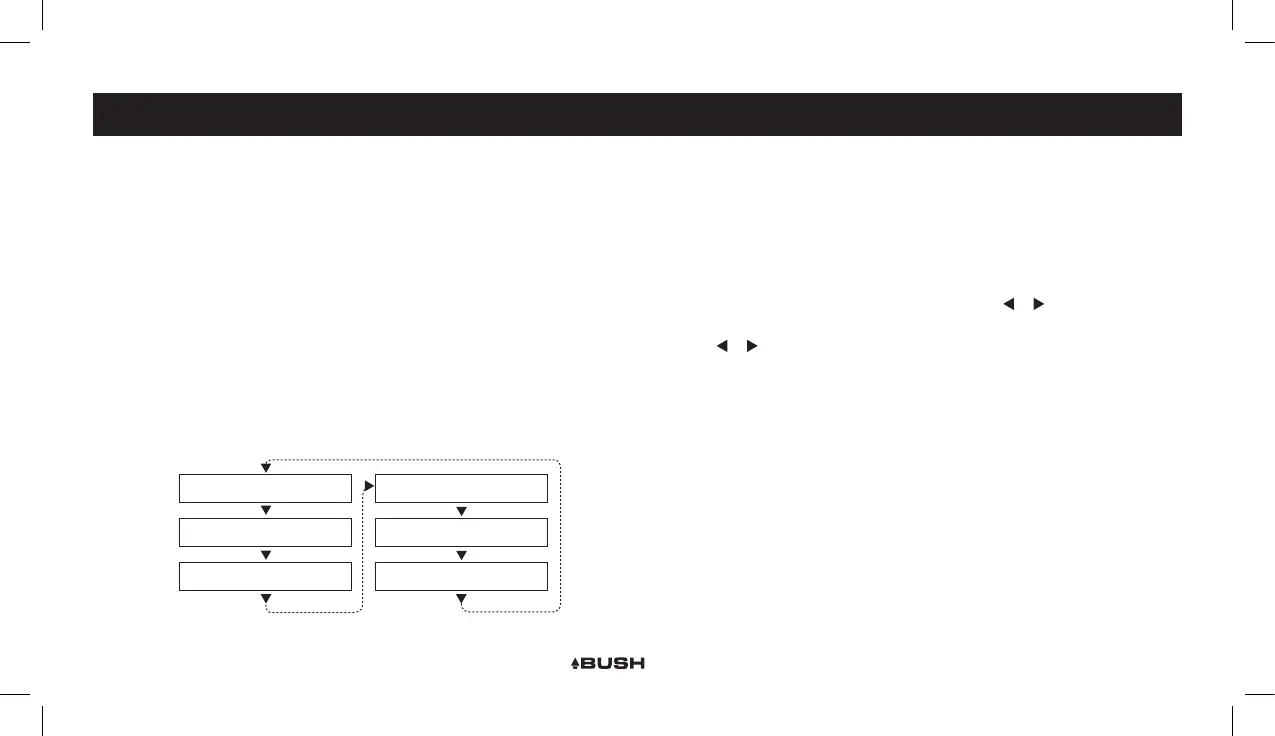
Every time you press the “INFO/MENU” button, the display will cycle through the
following display modes: The information is displayed on the lower segment of the
LCD display.
4 Program type
This describes the “Style” or “genre” of music that is being broadcast e.g. “Rock “or
“Classical”.
FM OPERATION FM OPERATION
Radio text
Date
Time
Audio Mode (Stereo/Mono)
<Programme Type>
<Programme Name>
<Station Frequency>
or
5 Programme Name
Station name ( if broadcast ). Frequency of the station if no name is broadcast.
6 Audio Mode (Stereo/Mono)
Denotes if the broadcast is in Stereo or Mono.
To specify that a station can be only played in mono or that stereo is allowed.
1. Press and hold the INFO/MENU button for 3 seconds.
2. When the <Scan Setting> option appears press either or and nd <Audio
Setting>, press the ENTER button.
3. Use the or buttons to cycle through the 2 options <Forced Mono> or <Stereo
Allowed>. Press ENTER to select.
Stereo allowed: Means any station broadcast in stereo with a strong enough signal
will be played in stereo.
Mono only: Plays ALL stations in mono regardless of the availability of a stereo
signal.
7 Time
Displays the current time. Please see Page 6 for setting.
8 Date
Displays the current date. Please see Page 6 for setting.
9 Radio Text
Displays scrolling text broadcast by the station ( only if broadcast ).



 To Next Page