Page 3
Functions & controls
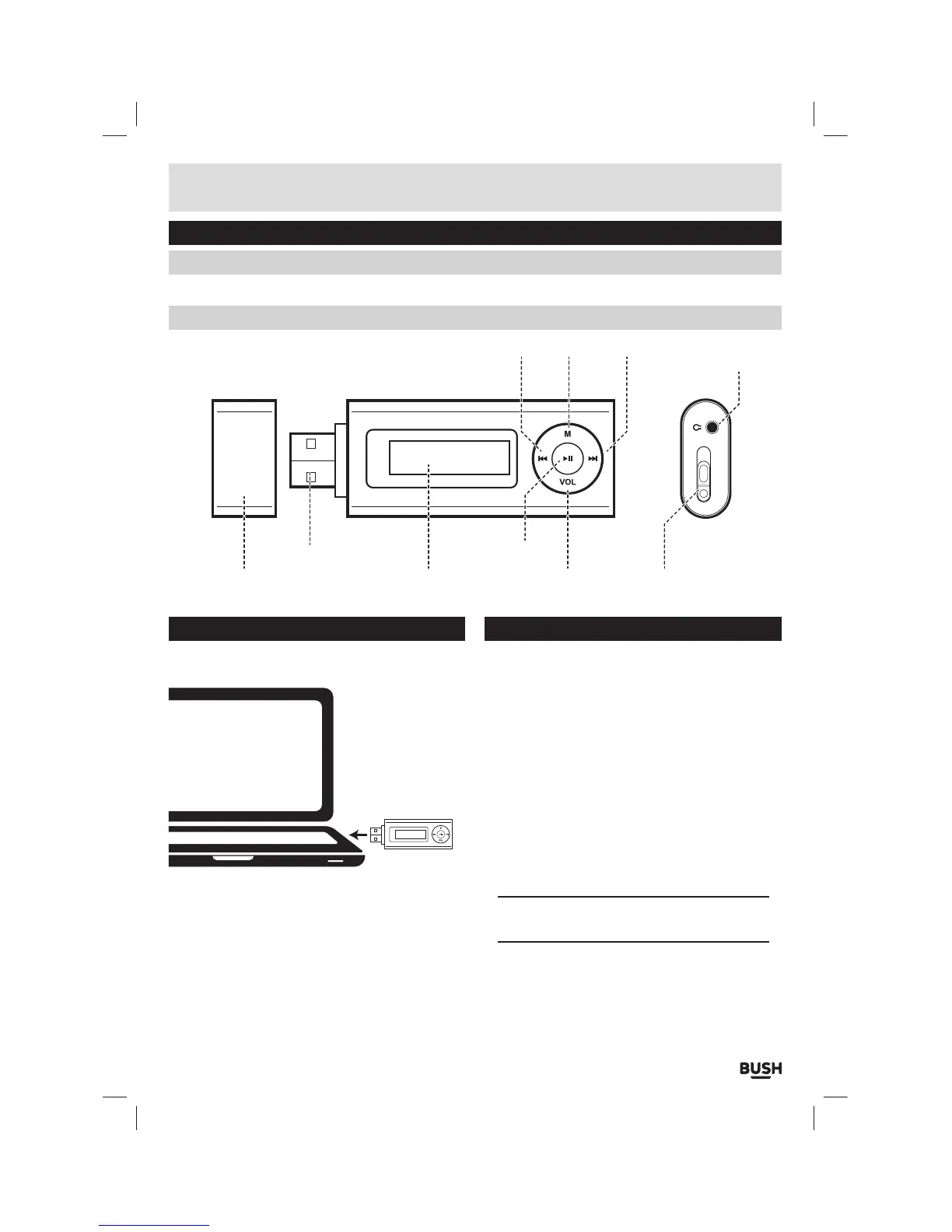
Please familiarize yourself with the parts and accessories listed below
Accessories included
• 1 x CMP332D • 1 x Instruction manual • 1 x earphones
Overview of controls
Getting started
Before use your player will require charging fully.
Follow the below instructions to charge.
1: Remove the ‘USB cap’ and insert the USB jack to a
laptop/pc usb input & power on the pc/laptop.
2: During charging you will see the battery animation in
the top right corner of the display. When the charge
is at maximum the battery no longer animates and
appears black.
Connecting to a PC
Once the unit is charged or during charging you can
copy files to the player.
1: Follow steps 1-2 of ‘Getting started’ to connect the
player to a pc/ laptop.
2: When the unit is connected a hardware driver
is automatically installed and the device is then
available in the list of devices (Named CMP332_4G).
On some operating systems an auto play window will
appear. Choose to take no action and click OK to close
the window.
3: Double click ‘My Computer’ Or ‘Computer’ on some
operating systems. Look for the ‘Removable disks
or storage’ option and locate the device named
‘CMP332_4G’ and double click.
NOTE: Do not disconnect the player at any time
when copying data to or from the device.
4: Drag & drop media files into the removable device.
You can create additional folders using the operating
system installed on your pc/ laptop.
5: Close the removable device window and disconnect
the player from your pc/ laptop after data transfer
has completed.
ON OFF
USB cap Display Volume
button
ON/ OFF switch
Play/Pause
button
M buttonPrevious button Next button Earphone
socket
USB jack



 To Next Page