HORIZON
4
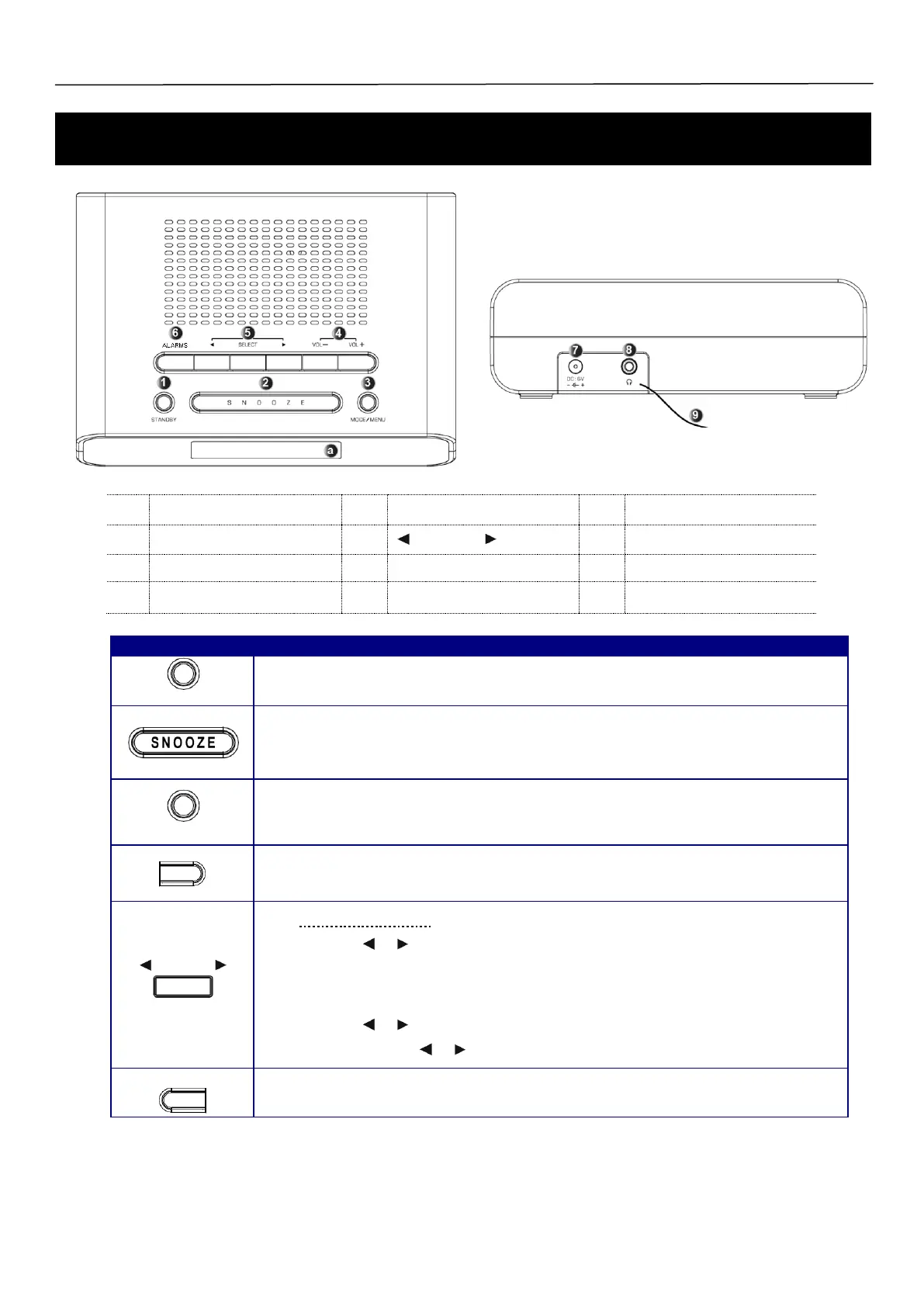
Press the STANDBY Button to turn the radio on or off.
When the alarm sounds, press this button to turn the alarm off
a. When the alarm is sounding, press the SNOOZE Button to delay the alarm.
b. When the alarm is not sounding, press the SNOOZE Button to set the radio sleep time.
c. When in Standby mode, press the SNOOZE Button to set the display backlight
a. Press and hold the MODE/ MENU Button to enter the Main menu.
b. Press the MODE/ MENU Button to switch between DAB+ and FM modes.
Press the VOL- or VOL+ Button to adjust the volume level.
DAB+ and FM mode:
Press the or Button to navigate between different options.
Press the SELECT Button to confirm the selected option.
FM mode, when frequency displayed:
Press the or Button to manually search for FM Stations.
Press and hold the or Button to auto search for FM Stations.
Press to enter the alarm settings.



 To Next Page