Internet Browser
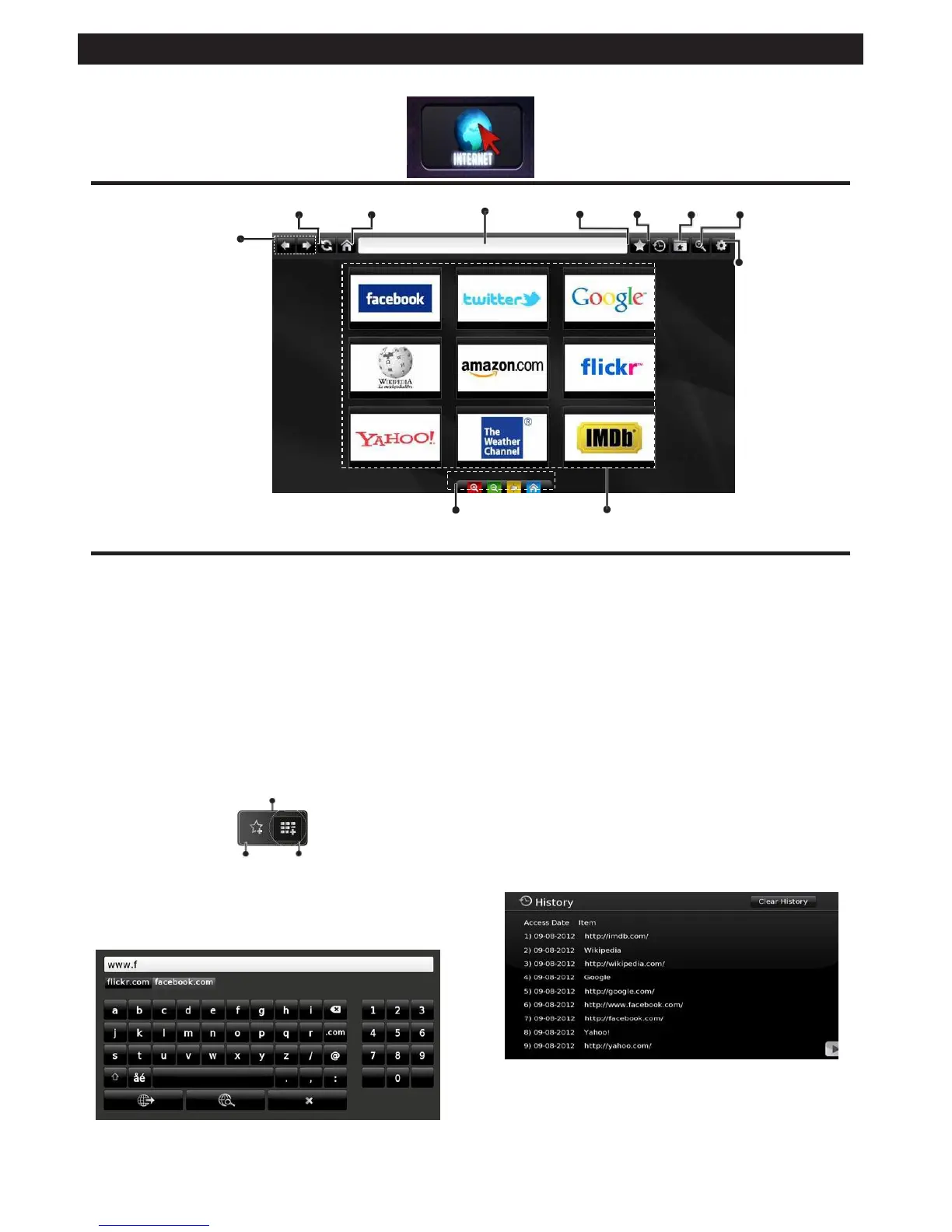
To use the internet browser, please select the internet browser logo from the portal section.
Refresh
Home Page Address Bar Add History Bookmarks Zoom
Previous
Next
Settings
Remote control shortcuts
(Zoom in-out/Back/Home)
Quick Access
• To navigate the web browser, use the arrow buttons
on the remote control. Press OK to continue.
• After First time installation, predefined web sites and
logos will be displayed on the browser’s access page
(see image above). To add a desired web page to
the quick access page, whilst on the website you
wish to add, select the “Add” menu and select “Quick
Access” button.
• If you want to add bookmarks, select this item while
the desired web page is on the screen.
Add
pages and these will take you to the appropriate
pages.
• When you scroll the pointer down to the middle of the
screen, the remote control’s shortcuts will be shown.
• Use the zoom shortcut buttons or the zoom menu
to zoom in or zoom out.
• You can clear cookies or clear all browser data from
the settings menu.
• Your TV is compatible with USB mice. Plug your
mouse or wireless mouse adaptor to the USB
input of your TV.
• To view your browsing history, click the history
button. You can also clear your browsing history
Bookmarks
Quick
Access
from here.
• You can navigate the web browser in three ways.
First, enter any URL in the address bar.
• You can search keywords by clicking the search
button in the address dialog box or another way
to navigate to pages is by clicking on links on web
• The browser does not support multiple tabs.
• Some internet pages include flash content. These
are not supported by the browser.
• Your TV does not support any download processes
from the web browser.


 To Next Page