Adding a contact
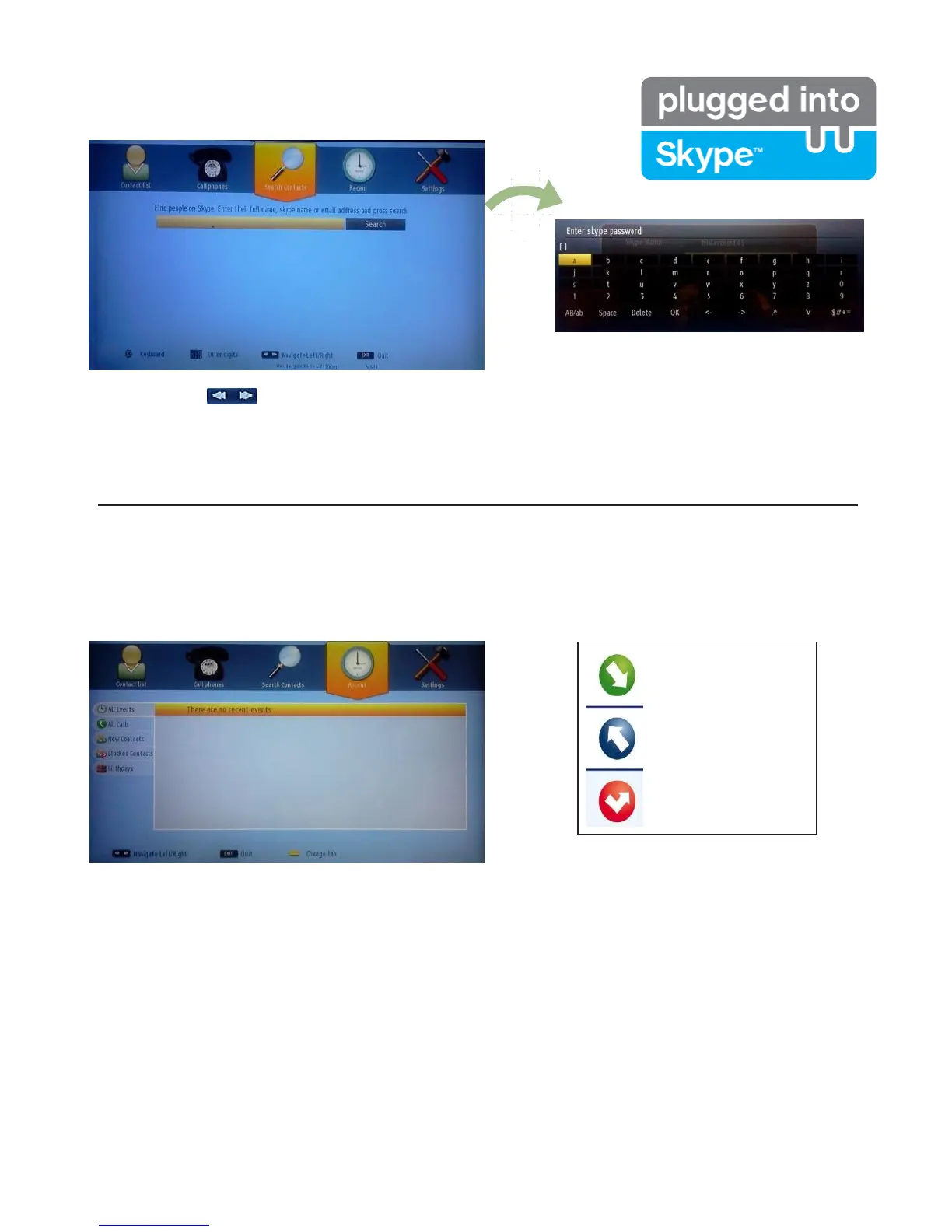
By pressing the button select Search Contacts option. Enter full name, skype name or email address
to find and add.
Use remote control or virtual keyboard to enter keyword.
Recent history
Incoming call
Outgoing call
Missed call
Icon meaning
Skype history can be seen in this section. To view recent history option, use p+ and p- buttons. To delete
conversation press the Red button. When you pressed OK button , contact review will be displayed. Also
Profile information can be displayed in this section.


 To Next Page