For any help concerning set up and use of your TV please call the Customer Helpline: 0 345 604 0105
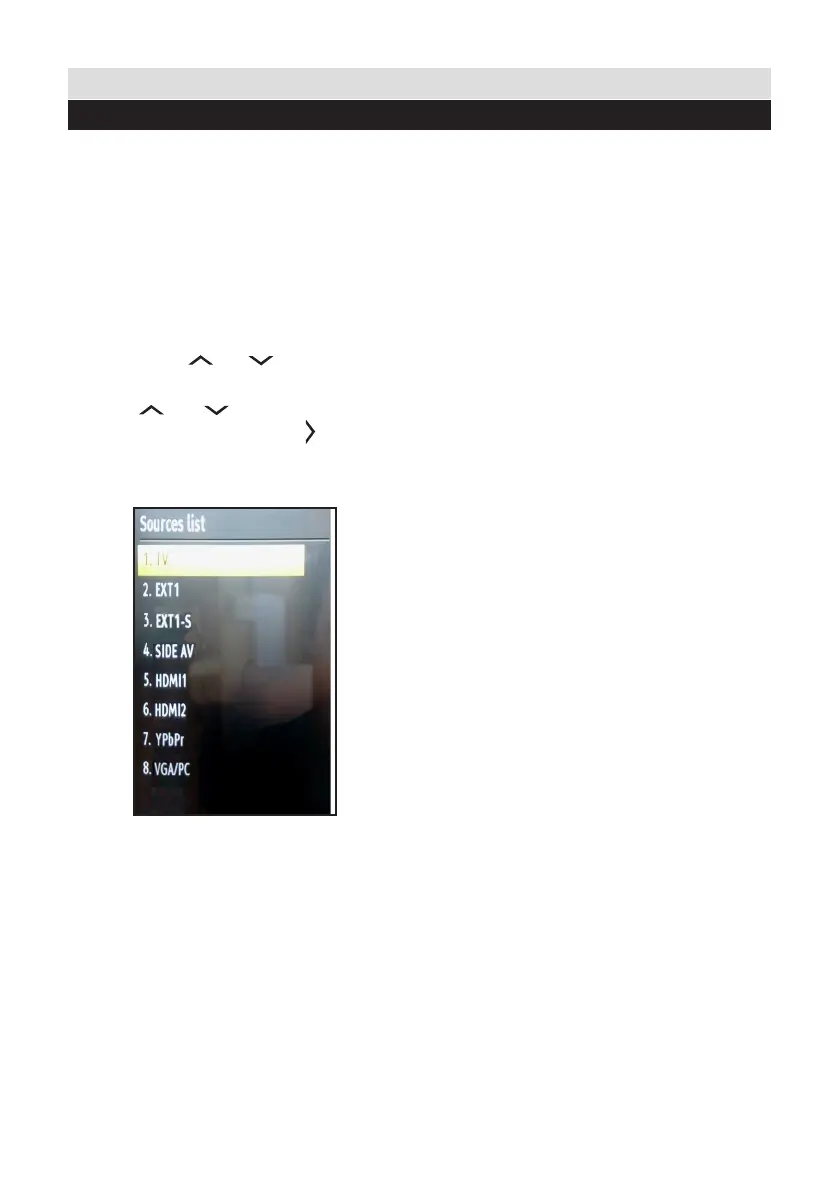
Once you have connected external devices to the TV,
you can select and change the input source required.
To change Input Selection, use one of the
following options:
Option a: Press the SOURCE button on
the remote control to directly select required
source.
Option b: Select “SOURCES” from the “Settings”
menu using the “ ” or “ ” button.
Use the “ ” or “ ” button to highlight the
required input and press the “ ” button to
select.
22
Connections
Selecting source


 To Next Page