5
3
4
5
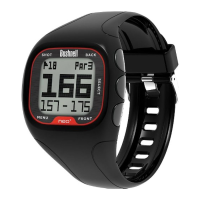
Front
Back
Select
1
2
Menu
Shot
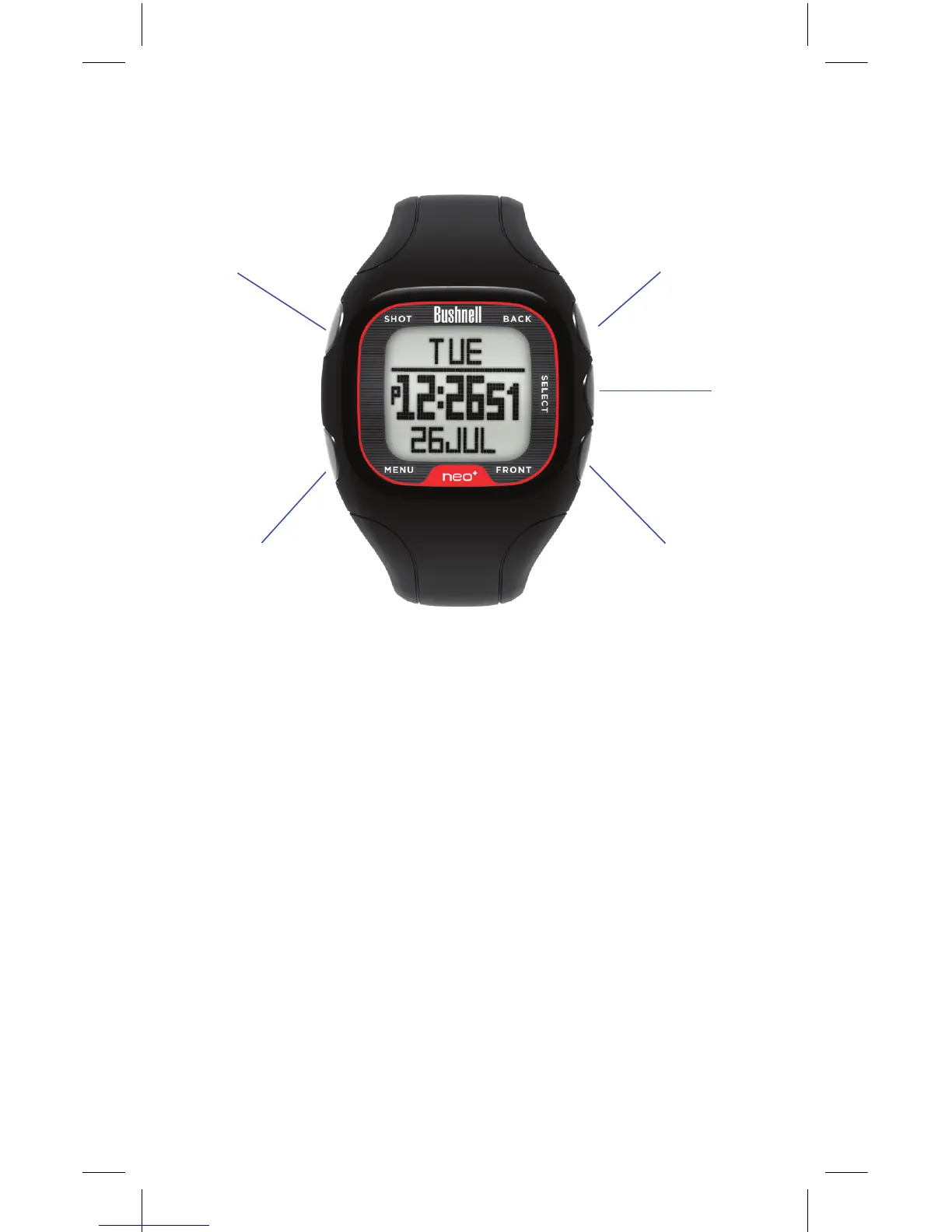
Buttons and Functions
1. SHOT Button: Tracks shot distance in Play Golf mode.
Controls backlight. Press & hold for night mode. Disable
night mode with a single quick push. Press Select, Front,
or Back to exit Shot Distance.
2. MENU Button: View Golf Menu in Play Golf mode. View
Main Menu Options from Time screen.
3. BACK Button: Scrolls up through Menu items. View large
Back of Green callout in Play Golf mode.
4. SELECT Button: Selects from menu items.
5. FRONT Button: Press & hold to power on/o. Scrolls down
through menu items. View large Front of Green callout in
Play Golf mode.


 To Next Page