14
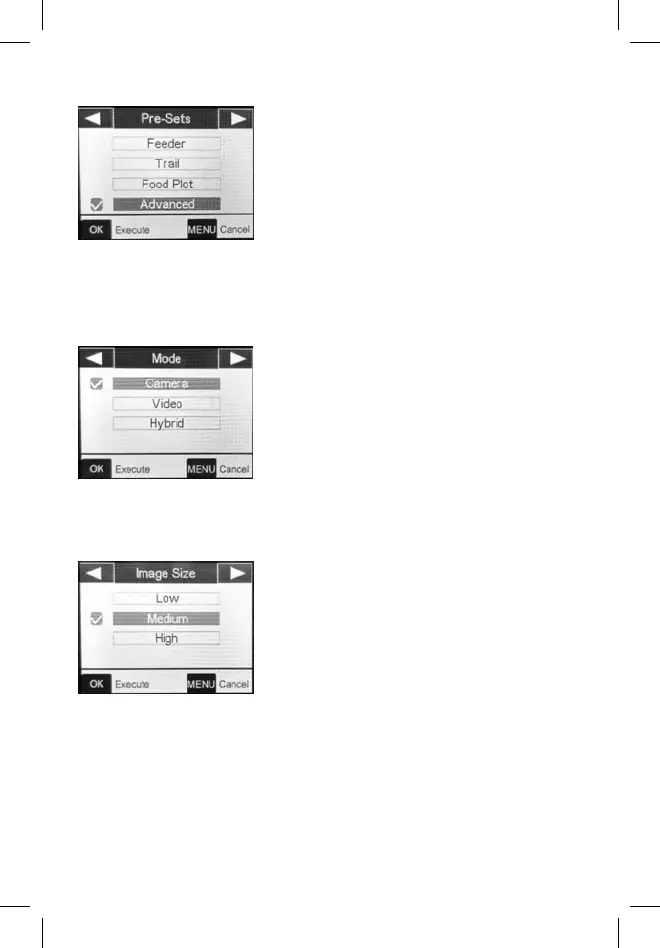
Image Size
Chooses the image resolution and
size. Note: Larger sizes mean higher
image resolutions that take up more
space on the SD card. Medium is
the recommended default for good
resolution and smaller size.
Trail: Medium Image Size, 1 Picture
Capture, 0.5s Interval
Food Plot: High Image Size, 1 Picture
Capture, 2S Interval, Field Scan ON
5:30-9:00/15:30-19:30 with 5M
Interval
Advanced: To customize all settings.
Mode
Selects the format your camera will
record in.
Camera: For photos only.
Video: For videos only.
Hybrid: A photo (multiple photos, if
NUM PICS is set >1) followed by a
video clip will be captured for each PIR
trigger event.


 To Next Page