13
Right & Left Arrow
Function
• Press right button to go forward in the menu setting
options, press left arrow to go backward.
Up & Down Arrow
Function
• Press to go up or down to choose a specific setting in
the menu option you are currently viewing.
Ok Button
Function
• Press the OK button to save the setting you select in the
Menu.
SETTINGS MENU
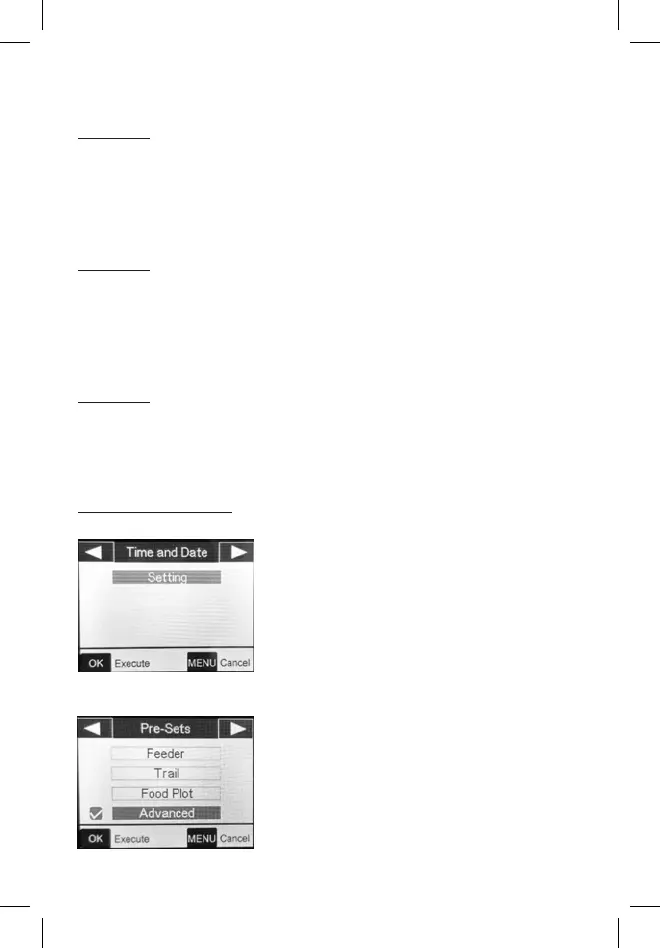
Time and Date
Sets the hour (24-hr format only,
“00”=midnight, “12”=noon), minute,
year, month, and date.
Pre-Sets
Allows you to select settings ideal for
the following scenarios, or Advance
mode to customize all settings.
Feeder: Medium Image Size, 3 Picture
Capture, 3m Interval


 To Next Page