17
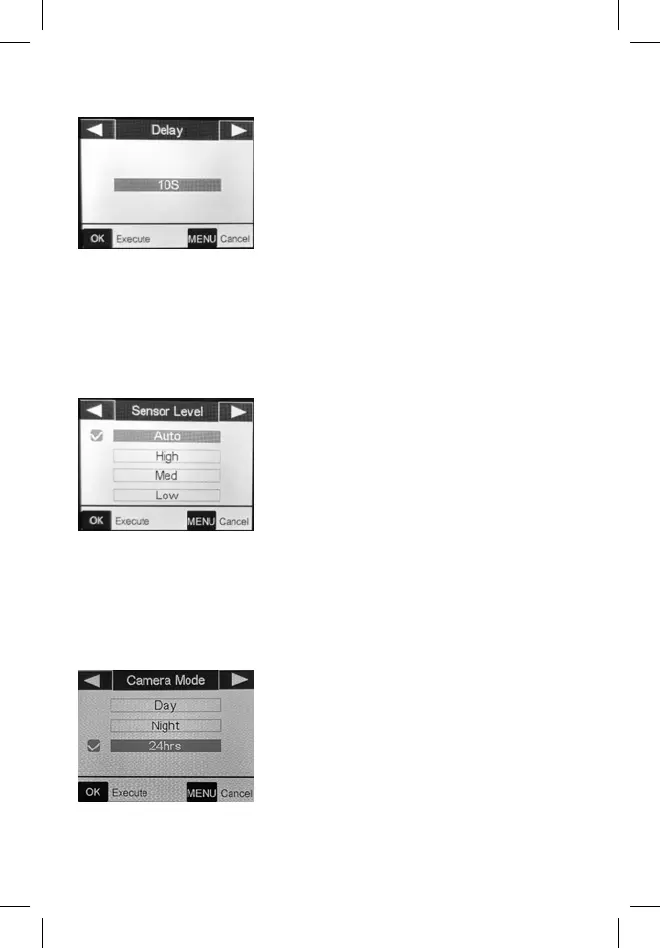
Delay
Selects the length of time that the
camera will “wait” until it responds to
any additional triggers from the PIR.
Settings begin with 10 second default
when parameter is first selected. To
choose other intervals, press OK, and
select by using the arrow buttons.
The shorter your delay, the more
images you’ll get.
Sensor Level
Auto sensor level will automatically
adjust the sensor level depending on
the surrounding temperature.
Auto: Automatically sets sensor level
based upon temperature.
High: Recommended when air
temperature is above 70° or when
maximum range is desired.
Med: Recommended when air
temperature is 45-70° or when range
is up to 70’.
Low: Recommended when air
temperature is below 45° or when
range is up to 40’.
Camera Mode
Allows you to limit operation to day or
night period if desired.
Day: Only captures images at daytime.
Night: Only captures images at
nighttime.
24hrs: Captures pictures day and night.


 To Next Page