6
Package Contents
1 - Bushnell Excel GPS Range nder Watch
1 - Charging Cradle w/USB Cable
1 - Contact Cleaning Brush
1 - User Manual
Band: 22mm width, replacable via T-6 torx screwdriver
Computer Requirements
USB Port
OS: Windows (XP or later), Mac (OS 10.6 or later)
Firmware/Software Updates
Please check www.bushnellgolf.com or www.
bushnellgolf.eu periodically for the latest rmware and
software releases.
SETTING THE TIME
Set Time by GPS
*To ensure reception, make sure you are outdoors away from tall buildings and trees, with a clear view of the sky.
This is the easiest way to set the time. From the TIME Options Menu (Fig. 4), select SET TIME, then select BY GPS from the
Fig. 3
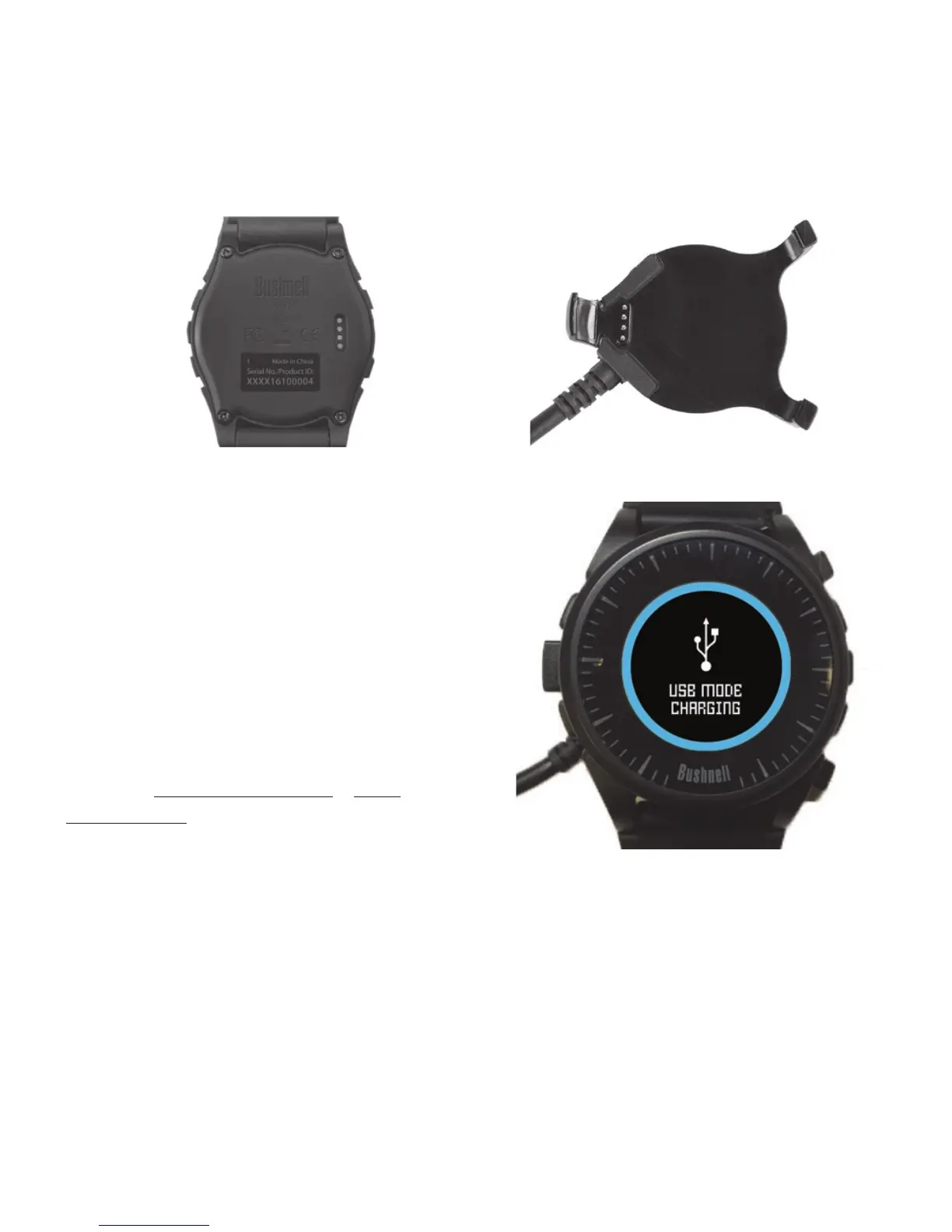
Charge Pins
Charging Cradle
Watch on Charging Cradle
Fig. 2
Charge Contacts



 To Next Page