5
TURNING THE CAMERA ON AND OFF
Insert 2 AAA alkaline batteries as indicated on the inside of the
battery compartment, located on the bottom of the camera unit.
Turn the camera on by pressing and holding the MODE button
until the display comes on and the camera beeps. To turn the unit
off, press and hold the MODE button until the display goes out.
The camera will turn itself off automatically to save batteries if
none of the buttons have been pressed for two minutes.
TAKING A PICTURE
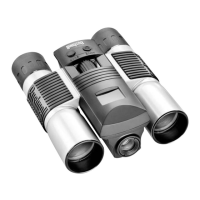
With the camera turned on, press the SNAP button to take a new
photo. For best results, hold the ImageView steady using both
hands, and lightly press down the SNAP button using the flat
end of your finger rather than “punching” it with a fingertip. Or,
whenever possible, mount the camera on the tripod and use the
remote shutter cable (both included) to avoid camera shake*. Be
sure you are at least 35 feet away from your subject as the camera
focus is preset for optimum results with distant objects (sports,
wildlife, etc.).
BASIC OPERATION
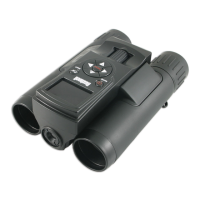
SNAP
(Shutter
Release)
MODE
(Power)
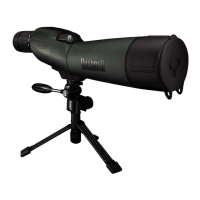
* Please refer to the tripod and remote cable photos on pg. 9



 To Next Page