10
UNIT OF MEASURE OPTIONS
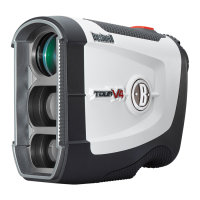
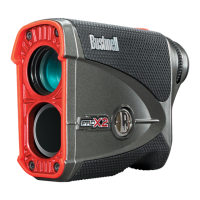
e Pro X can be used to measure distances in yards or meters. e
unit of measure indicators are located in the lower right portion of
the display. ere are two measuring settings to choose from and this
is the second setting within the SETUP menu. Look through the
eyepiece, depress the Mode button (“B” logo) and hold it down for
approximately seconds to get into the SETUP menu. Brief presses
of the Mode button will toggle through the brightness settings if
the bright red LED display is selected. Press the Power button to go
to the Unit of Measure options, and again briey press the Mode
button to select your preference. A change in unit of measure will be
indicated by the illumination of the M for meter indicator while the
Y for Yard indicator is turned o. If you are changing from meters to
yards, the opposite will occur. e Pro X will return to the last unit
of measure setting used each time the unit is turned on.
E.S.P.2™ ON/OFF
e Pro X distance readout to a tenth of a yard/meter (E.S.P. feature) can be enabled/disabled per user preference.
With “ESP O” selected (E.S.P. disabled), distances will be indicated only in whole yards/meters. With“ESP On”
selected (E.S.P. enabled), distances will be indicated to a tenth of a yard/meter.
MENU OPTION SETTINGS
Display Brightness BRT1
BRT2
BRT3
BRT4
Unit of Measure Y (Yards)
M (Meters)
ESP (1/10 units) ESP On
ESP Off
Enter SETUP menu: long press on Mode (“B”) button
While in the SETUP menu:
• Select setting for option: short press on Mode button
• Save setting: short press & release of Power button
• Select next menu option: short press on Power button
Exit SETUP menu: long press on Mode button, or let power
time out




 To Next Page