5
GETTING STARTED
OPERATIONAL SUMMARY
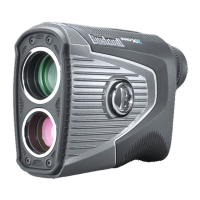
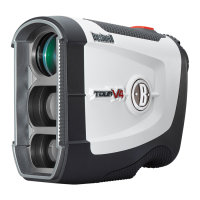
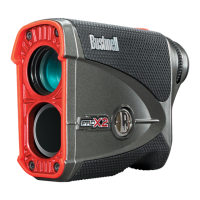
While looking through the Pro X, depress the power button once to activate the display. Place the aiming circle
(located in the center of the eld of view) upon a target at least yards away, depress and hold the power button down
until the range reading is displayed near the bottom of the in-view display. Crosshairs surrounding the aiming circle
indicate that the laser is being transmitted. Once a range has been acquired, you can release the power button. e
crosshairs surrounding the aiming circle will disappear once the power button has been released (i.e. the laser is no
longer being transmitted).
Note: Once activated, the display will remain active and display the last distance measurement for seconds. You can depress the power button again at
any time to distance to a new target. As with any laser device, it is not recommended to directly view the emissions for long periods of time with magnified
lenses. The maximum time the laser is transmitted (fired) is seconds. To re-fire, press the button down again.
ADJUSTING THE EYEPIECE
e Pro X is equipped with an adjustable eyepiece (+/- Diopter Adjustment) that allows you to focus the display
relative to the image. Simply rotate the eyepiece until the display is in focus.
DUAL DISPLAY (SELECTING RED OR BLACK DISPLAY)
e Pro X features Dual Display Technology, which lets you easily toggle between a
bright red display featuring VDT (Vivid Display Technology) or a crisp black display,
based on lighting conditions or your preference. To toggle between red and black displays,
briey press and release the round “B” logo plate on the left side of the unit.
DUAL DISPLAY
TECHNOLOGY





 To Next Page