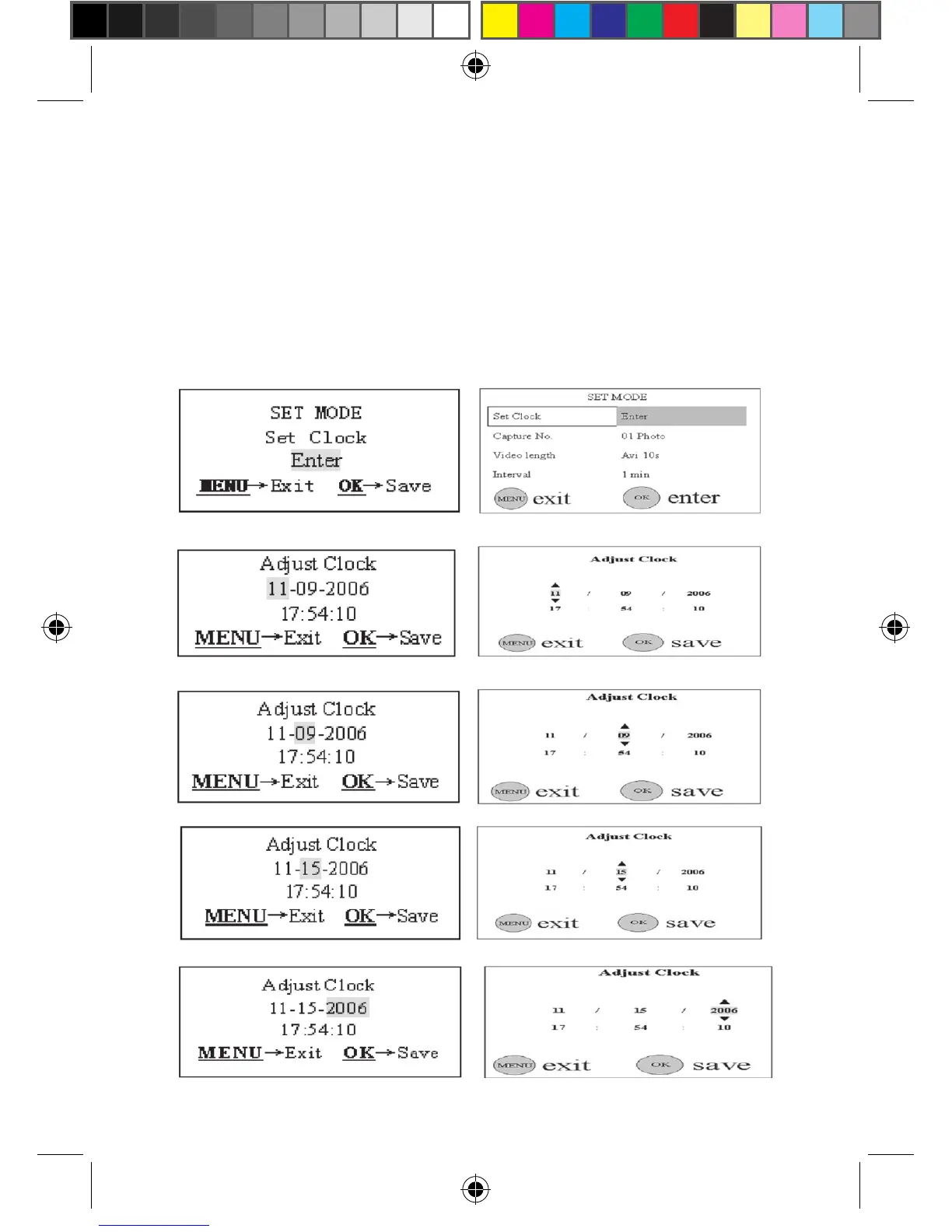
l) Press the UP or DOWN key until the second changes to 00 as
shown in the Fig. 9(l) and 9(12).
m) After the settings of the date and time are all nished, push
the OK key to save them. Please note, you’ll quit the parameter
setting without any saving and no parameter is changed if you
press the MENU key at any time only before pressing OK key in
step m.
Figure 9: Setting Date and Time
(a)
(1)
(b)
(2)
(c)
(3)
(d)
(4)
(e)
(5)










 To Next Page