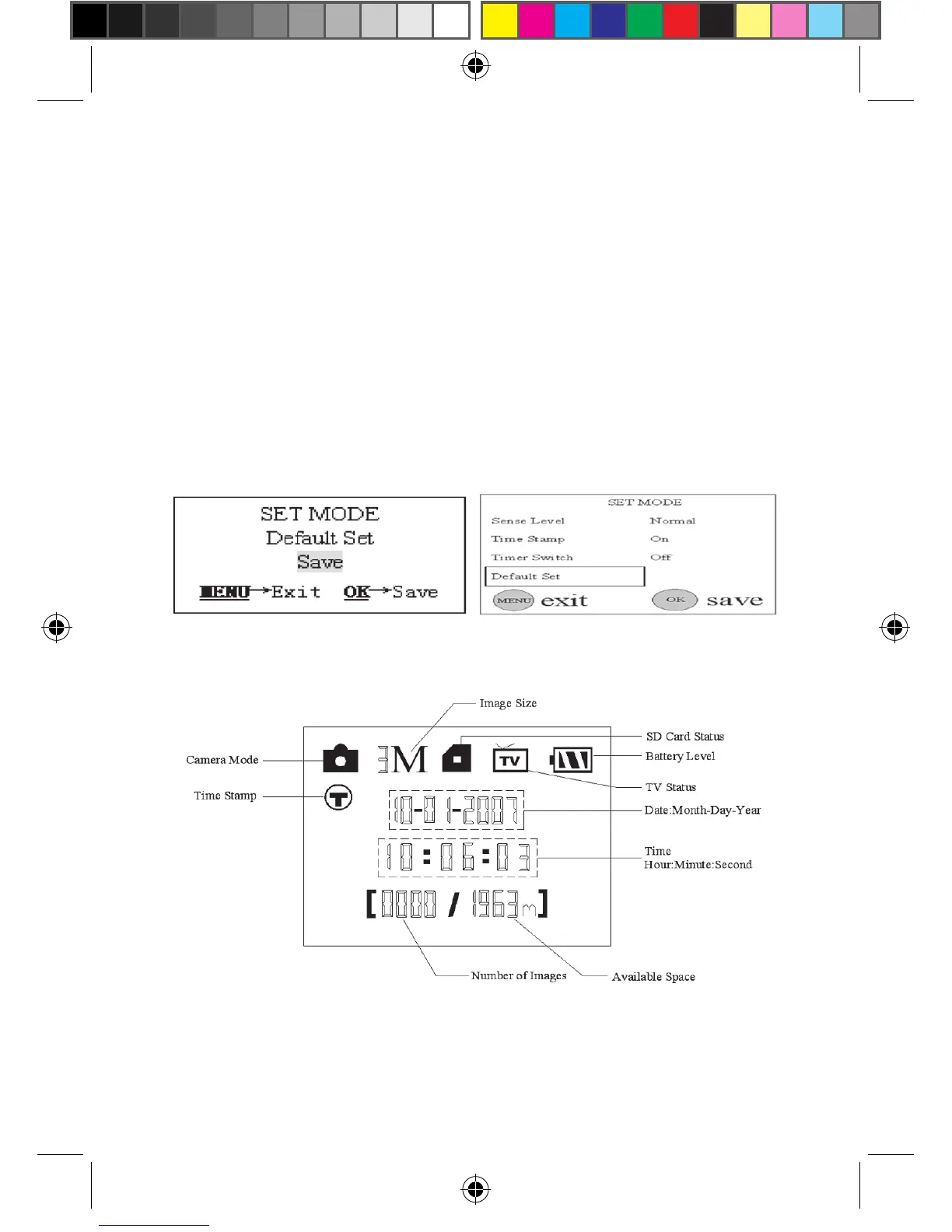
4.1.12 Reloading the Default Settings
Sometimes it is very helpful to load the default settings. This can be
simply done according to the following steps:
a) In MENU state press the UP or DOWN key until the parameter
“Default Set” appears as shown in the Fig. 16(a) and 16(1).
b) Push the OK key to load default settings or MENU key to cancel
this operation. After pressing OK key related parameters are set
to default values (see Table 1). And then the system enters into
preview state and some icons shows in the LCD as illustrated in
Fig. 16(b).
Figure 16: Reloading Default Settings
(a)
(1)
(b)










 To Next Page