19
4. Select the Course and Tee O!
Make sure you are in an open area, away from
tall buildings and trees, for best reception of
GPS satellite signals.
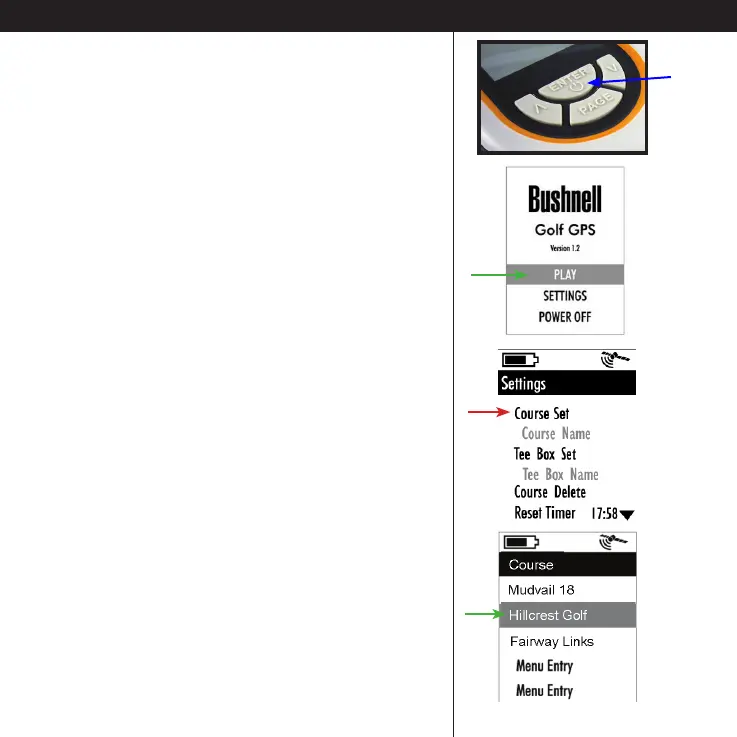
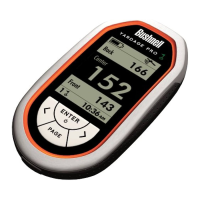
• Hold the ENTER key on the YP GPS unit for a
few seconds to turn it on.
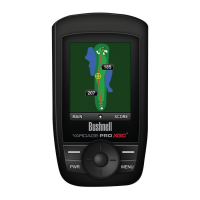
• Press the DOWN key to highlight “Settings” on
the display, then press ENTER.
• Highlight “Course Set” , then press ENTER.
• Use the DOWN or UP keys to select (highlight)
the course name you want from the list of
course data you downloaded or transferred to
your YP GPS, then press ENTER again.
Select the Course on Your Yardage Pro and Play GolfTransfer the Course Data to the YP GPS Unit
Please read the following section, “Playing Golf
With Your Yardage Pro GPS” for more details on
using the unit our on the course.





 To Next Page