23
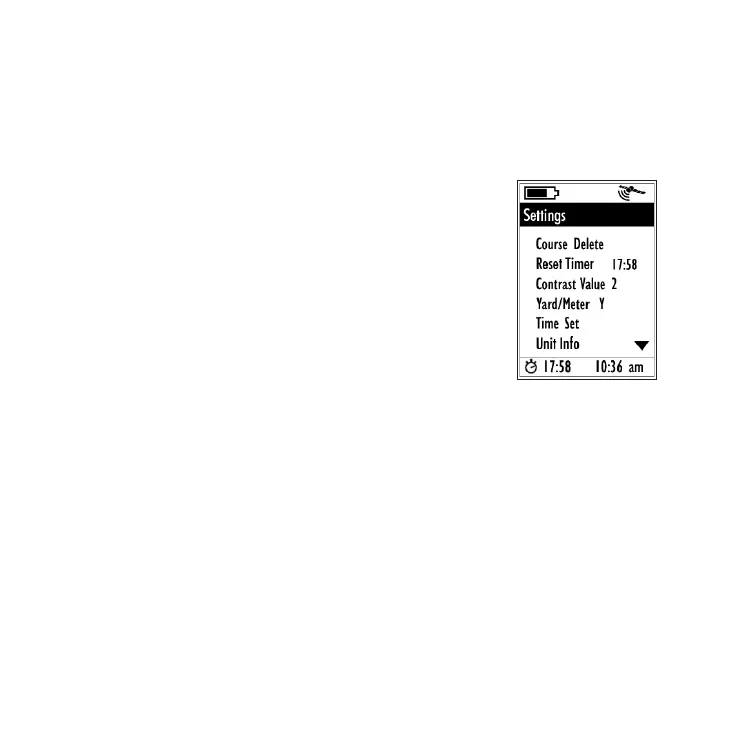
But rst, let’s take a quick look at the ve other options
available on the Settings page:
3) Course Delete
To make room for additional, newer
courses in the internal memory, select
“Course Delete” and press ENTER to see
the list of stored courses. Highlight a
course you want to delete, then press
ENTER, select “OK”, and press ENTER
again (only the course data stored in
the YP GPS unit will be deleted, you can
always reload it from your PC).
4) Reset Timer
The YP GPS has a simple stopwatch feature that you can
use to help keep track of your pace while you play-it will
show the elapsed time since you began playing if you
start it at your rst tee off. Or, you can reset the timer
anytime you like to use it however you wish. To start or
reset the timer, select “Reset Timer” from the Settings
page and press ENTER. Note that the Timer is shown on
the Scorecard page (digits next to the “Stopwatch” icon
on lower left corner of the display), but is not shown on
the Play page.
Settings options continued
(press DOWN to scroll)
The Settings Page





 To Next Page