30
The Drive Distance Page
The Drive Distance page is a simple
“Point A to Point B” measurement that
lets you mark any two locations and nd
the distance between them. During a
golf game, this can be used to measure
the distance of a shot you made. To use
this feature, from the Play page, press
and release the ENTER key once. You
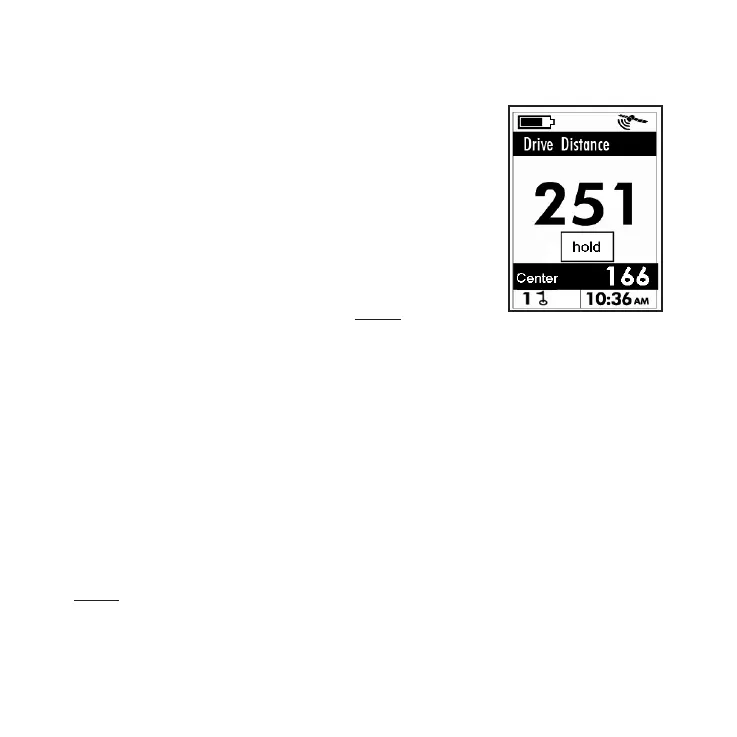
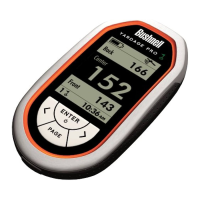
will see the “Last Shot Distance” screen
shown here. Then, go to your starting
(tee off) position and hold ENTER
down for 2 seconds. This resets the currently displayed
distance to zero. Take your shot and walk to where the
ball landed. While walking, the display will show the
distance traveled from your starting (tee) point. When
you reach the ball (the display now shows the nal shot
distance), press the ENTER key. This marks the drive
distance you just walked off in the memory of the YP
GPS. To exit the Drive Distance page and return to
the Play page, press the PAGE key. To view your last
marked (stored) drive distance later, just return to the
Drive Distance page by pressing the ENTER key. To
replace the currently stored distance with a new drive
distance, go to your new starting point or tee box and
hold ENTER to reset the drive distance, then repeat the
process again, taking and walking off the new drive and
marking the nal distance traveled when you reach the
ball.





 To Next Page