BYD Suri Owner‘s Manual
Audio Equipment1-99
Audio Remote Control-
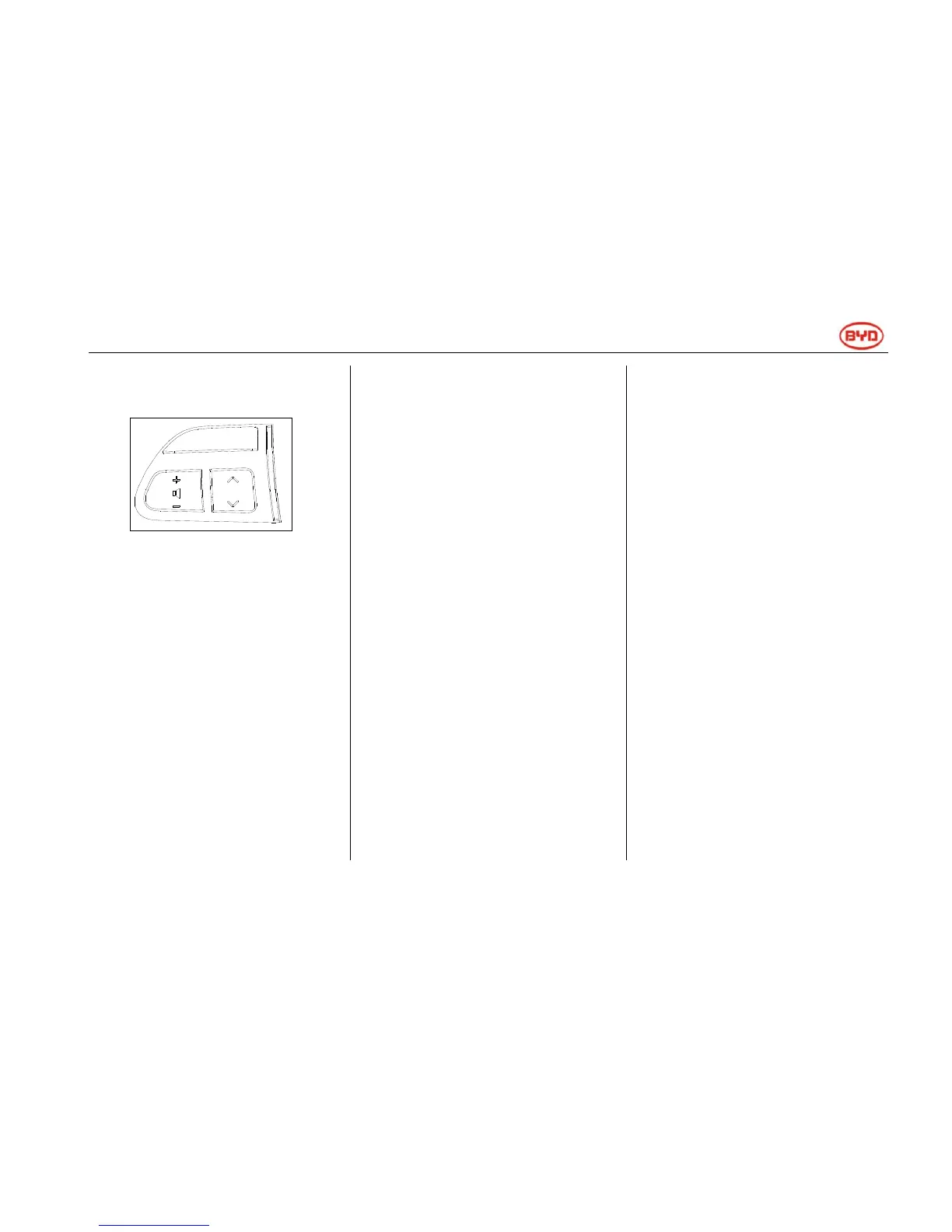
-Steering Wheel Function Button
Function button on the steering wheel
can be used to adjust some
components of the audio system.
Details of these special switches,
controllers and functions are as
follows:
“+ -” Switch
Press "-" side to lower the volume.
Press the switch to continuously lower
the volume.
Press "+" side to increase the volume.
Press the switch to continuously
increase the volume.
“∨∧" Switch
Radio
Search for channels:
Press or release ―∨∧‖ switch quickly.
Repeat the above operations to
search for the next channel. In the
process of searching, if either side of
switch is pressed, search mode can
be cancelled.
To turn up or turn down the frequency,
press the switch and the radio will
search for channels upward or
downward. Release the switch to stop
at the searched frequency. Repeat the
above operations to search for the
next channel.
CD Player
Select desired tracks:
Press and release ―∨‖ or ―∧‖ side of
the switch quickly to select desired
track. To return to the initial position of
current track, press ―∧‖ side of the
switch quickly.
SD Player (Maximum Memory: 8G)
Select necessary tracks:
Press and release ―∨‖ or ―∧‖ side of
the switch quickly to select necessary
tracks. To return to the initial position
of current track, press ―∧‖ side of the
switch quickly.
USB Player (Maximum Memory: 8G)
Select necessary tracks:
Press and release ―∨‖ or ―∧‖ side of
the switch quickly to select necessary
tracks. To return to the initial position
of current track, press ―∧‖ side of the
switch quickly.
“Mode” Switch
Use this switch to turn on or turn off
the audio system, or to change the
audio mode.
Press this switch gently to turn on the
audio system.
Press this switch for more than 1
second to turn off the audio system.
Turn on the system and press the
switch gently to change the audio
mode.
MODE



 To Next Page