BYD Suri Owner‘s Manual
Other devices1-116
Cruise Control System (if
installed)
Cruise control system can keep a
preset running speed of above
40km/h, without stepping on the
accelerator pedal. This function can
be enabled when driving on straight
highways.
Starting the Cruise Control System
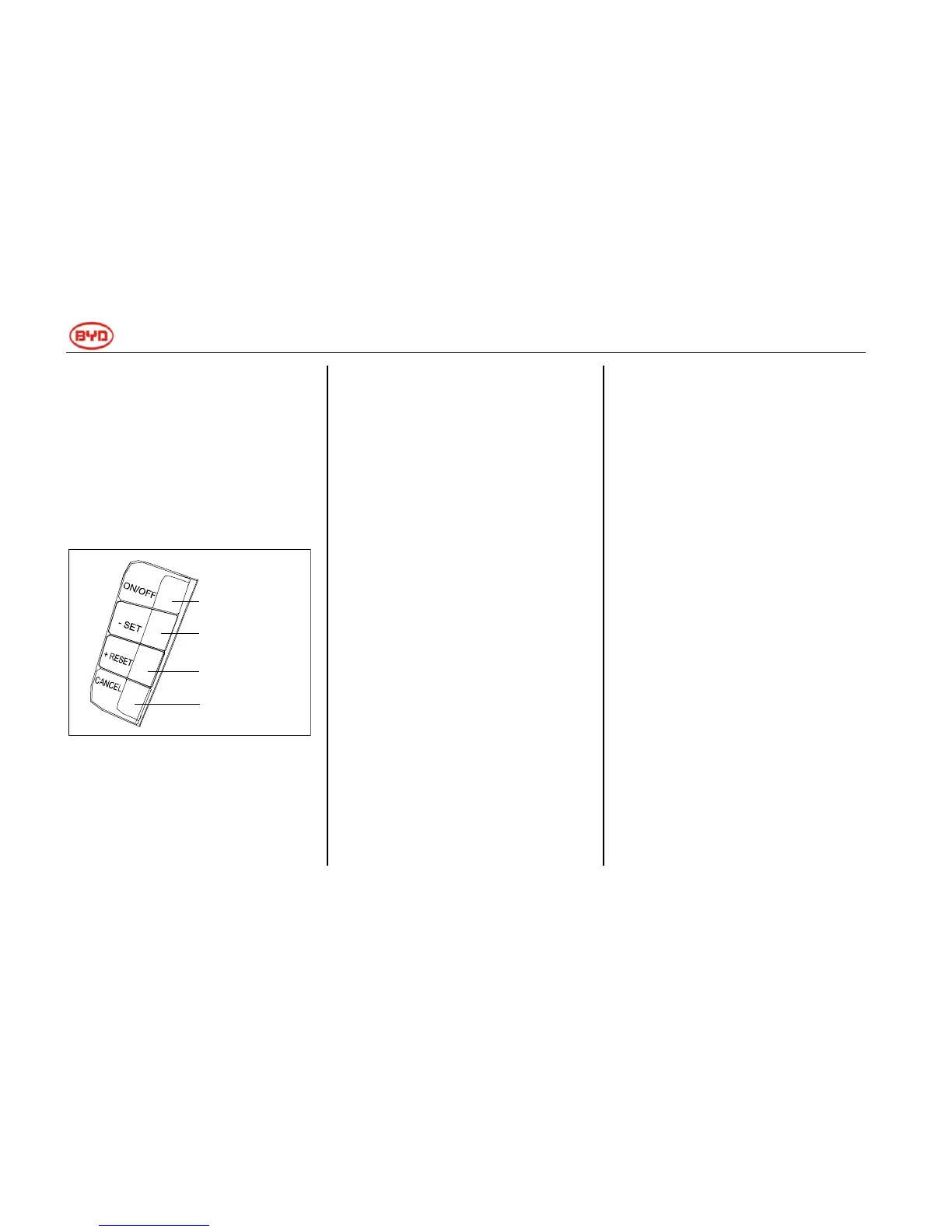
1.Press the master button of cruise
control system (ON/OFF) at the right
side of steering wheel, the cruise
control system indicator on the
instrument panel will be turned on.
2.Increase the speed above 40km/h.
3.Press the Decelerate/Set (-/SET)
button to start the cruise control
system.
4.When driving uphill or downhill,
cruise control system can‘t maintain
the preset speed.
Changing the Preset Speed
Preset cruise speed can be increased
in one of the following ways:
1. Press the Accelerate/Reset (+/RES)
button, the car will accelerate
continuously. When the required
cruise speed is reached, just release
the button.
2. Step on the accelerator pedal.
When accelerating to the required
cruise speed, press the
Decelerate/Set (-/SET) button.
3. If you want to increase the speed
slightly, press the Accelerate/Reset
(+/RES) button repeatedly. The speed
will increase 1.6km/h each time you
press this button.
Preset cruise speed can be reduced
with one of the following ways:
1. Press the Decelerate/Set (+/SET)
button to decrease the speed.When
the required speed is reached, just
release the button.
2. Step on the brake pedal slightly,
when the speed reaches the required
speed (40km/h above), press the
Decelerate/Set (-/SET) button. The
car will maintain the required speed.
3. If you want to reduce the speed
slightly, press the Decelerate/Set
(+/SET) button repeatedly. The speed
will reduce 1.6km/h each time you
press this button.
Master button of
cruise control
Decelerate/Set
button
Accelerate/Reset
button
Cancel button



 To Next Page