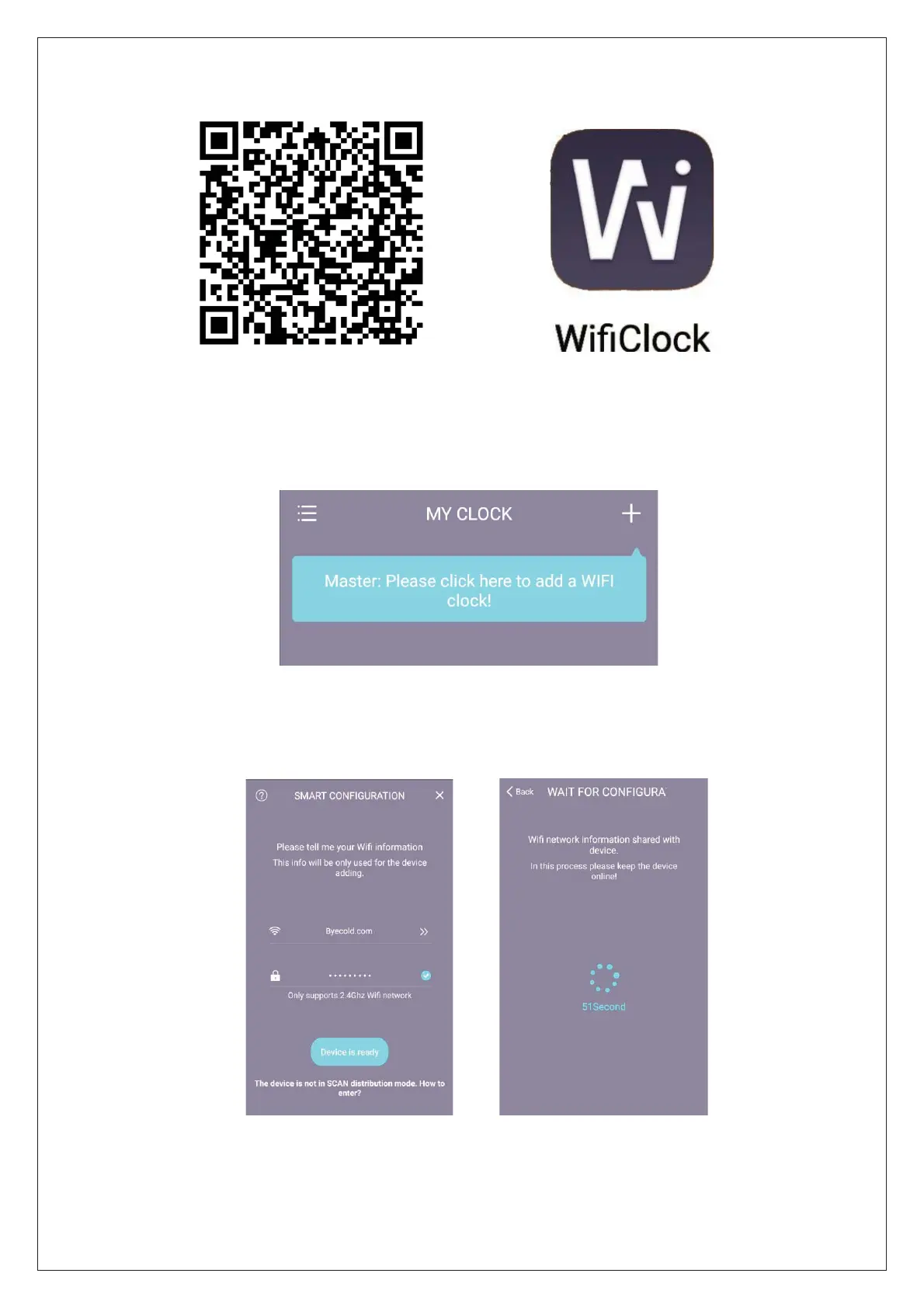
Figure (1)Figure (2)
4. After the installation is successful, find the WifiClock application icon on the mobile
phone desktop and open it, as shown in the figure above (2);
5. After opening the app, the following interface is displayed, click to add a WIFI clock;
6. Next select the WIFI hotspot and enter the wireless password. The screen will display
the configuration, waiting for about 60 seconds, at the same time, the mirror screen
displays JOIN, then PAIR is set successfully.
7. After the pairing is successful, the following interface is displayed. A mobile phone
can add several WIFI clock terminals.


 To Next Page