7
Connection Instructions
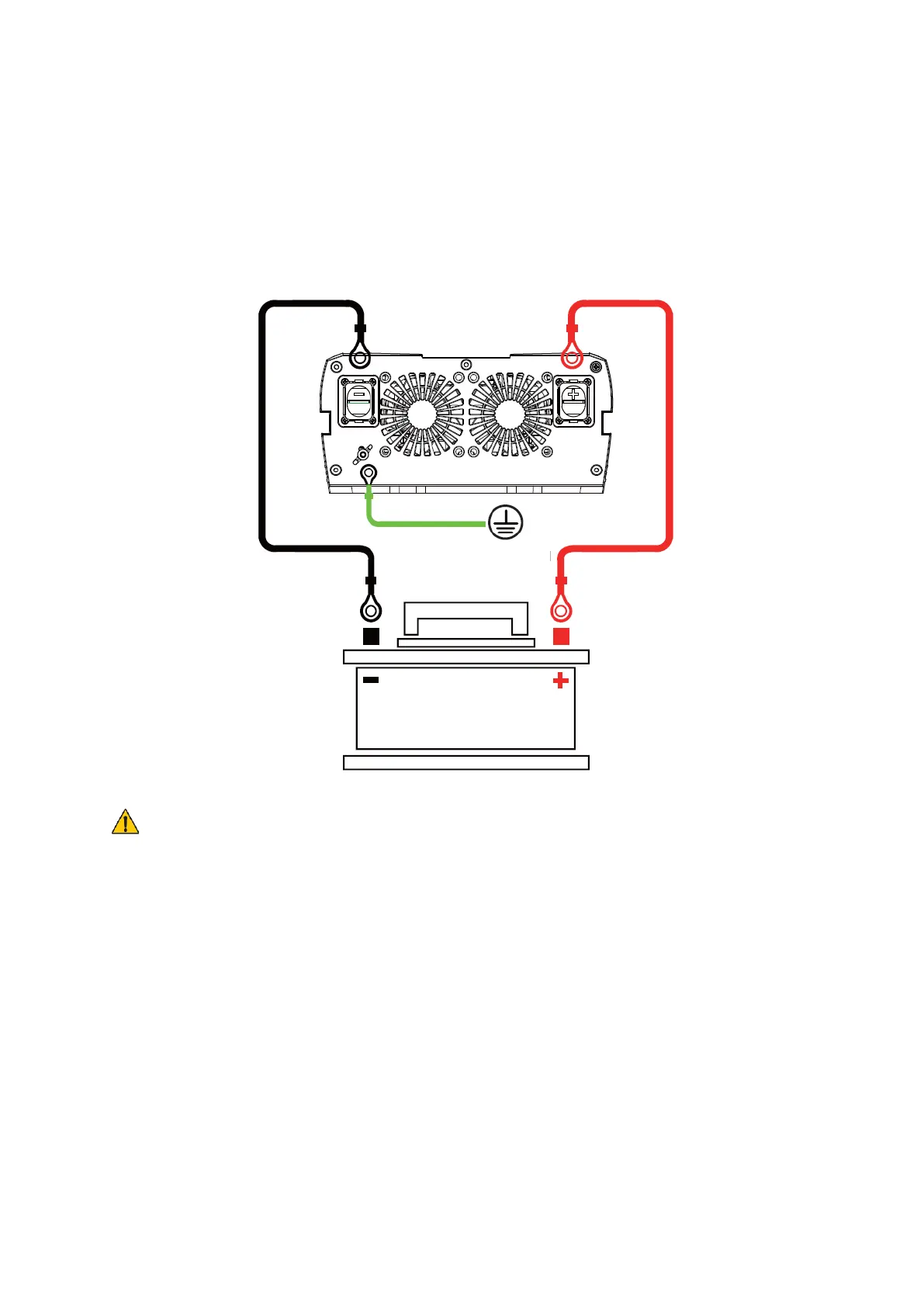
Connect the clip cable to the 12V DC battery, check the battery type and battery voltage
match before connecting the battery.
The inverter connects to the battery schematically
NOTE: DANGER OF REVERSE CONNECTION
• When connecting the red and black clip wire, make sure that the red is connected
to the positive terminal of the battery and the black is connected to the negative
terminal of the battery to avoid blowing the fuse by reversing the connection.
• make sure that the input cable is connected to a 12V battery, 6V batteries are not
allowed.
• connect the load that needs to be run to the AC socket or USB port, see
"Operation Guide" for details.
• Press and hold the switch for 1 second to start the inverter power.
• When the inverter is not in use, please disconnect the clip cable from both ends
of the battery to avoid static loss of battery power.


 To Next Page