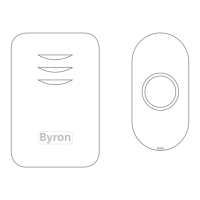
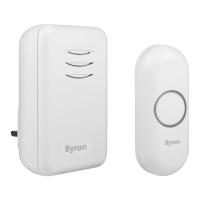
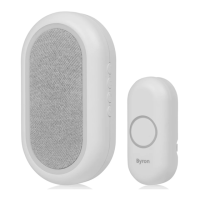
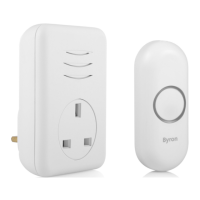
MP3 Downloadable
Wire Free Chime Kit
™
4
1: Press the Bell Push to
confirm the setup
2: The Chime will play the
melody and the alert light will
flash.
4
2
1: Place a small flat screwdriver
into the locking clip on the
base of the Bell Push.
2: Gently twist.
3: The backing plate will unclip.
1
™
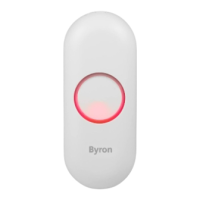
1: Push Button 6: Portable Chime
2: Melody Selector 7: Speaker
3: Bell Push Battery 8: Volume Control
4: Signal Sent LED 9: LED Alert
5: USB Lead 10: USB Input
MP001
™
:3
1:
4:
10:
8:
9:
5:
6:
2:
3
1: Remove the battery cover.
2: Insert 3 X 1.5V Size ‘AA’
batteries (Not Supplied).
3: Make sure the
Positive/Negative terminals
match the internal markings
4: switch the Chime ON
5: Replace the battery cover.
1: Insert CR2032 battery
(Supplied) into the battery
holder.
2: Make sure the positive side
is facing upwards.
3: Replace back plate.
Warning: Make sure that the batteries are
replaced correctly to avoid battery failure.
Only replace with same or equivalent type.
3
Downloading MP3 Melody:
Functions:
To select the Chime Volume
level, press the ‘+’ button
increase the volume and ‘-’
button to decrease the volume.
To select a melody for the Door Chime
1: Select between preprogrammed (IN) or
downloaded MP3 melodies (MP3).
2: Press the arrows on the door
chime to select the next melody
3: The chime will play the newly selected
melody
4: Press the centre button to confirm
Or press arrows to select the next
melody.
1: Connect the chime to the
USB port of a computer using
the USB lead (supplied ).
PC Only
2: The Chime will appear as a USB
storage device, install and run MP3
Editor.exe file on your computer.
MP3 Music
Look in:
Open
MP3 File(*.mp3)
File Name:
Files of Type:
Open
Cancel
Melody File 1
Melody File 2
Melody File 3
Melody File 4
3: Select the open file icon ,
highlight the required MP3 file on
your PC and click Open.
5: Edit the file length by inputting the required start and end times.
Use the Play/Pause button to listen to the mp3 file, recommended file
length is between 8-10sec.
5: Press the scissors icon to Cut and save the MP3 file, the
recommended file length is approximately 8-10 seconds long.
Melody File 1 Melody File 2 Melody File 3
Back Search Folders
E:\
Address
PC & Mac
6: Drag and drop the edited file onto the MP3 Chime, the file will be
saved on to the MP3 chimes internal memory.
00:00.0 / 00:00.0
00Start Time
End Time
00
00 00 0
0:
:
.
.
Reset
Rewind Fast
Forward
Play
Volume
Stop
Press to Cut
4: Highlight the MP3 file in the tunes list and press PLAY.
Video Tutorial:
View or video tutorial saved on the MP3 chime or via our
YouTube channel.
http://www.youtube.com/user/CHByron

 Need help?
 General

 To Next Page