9
❹
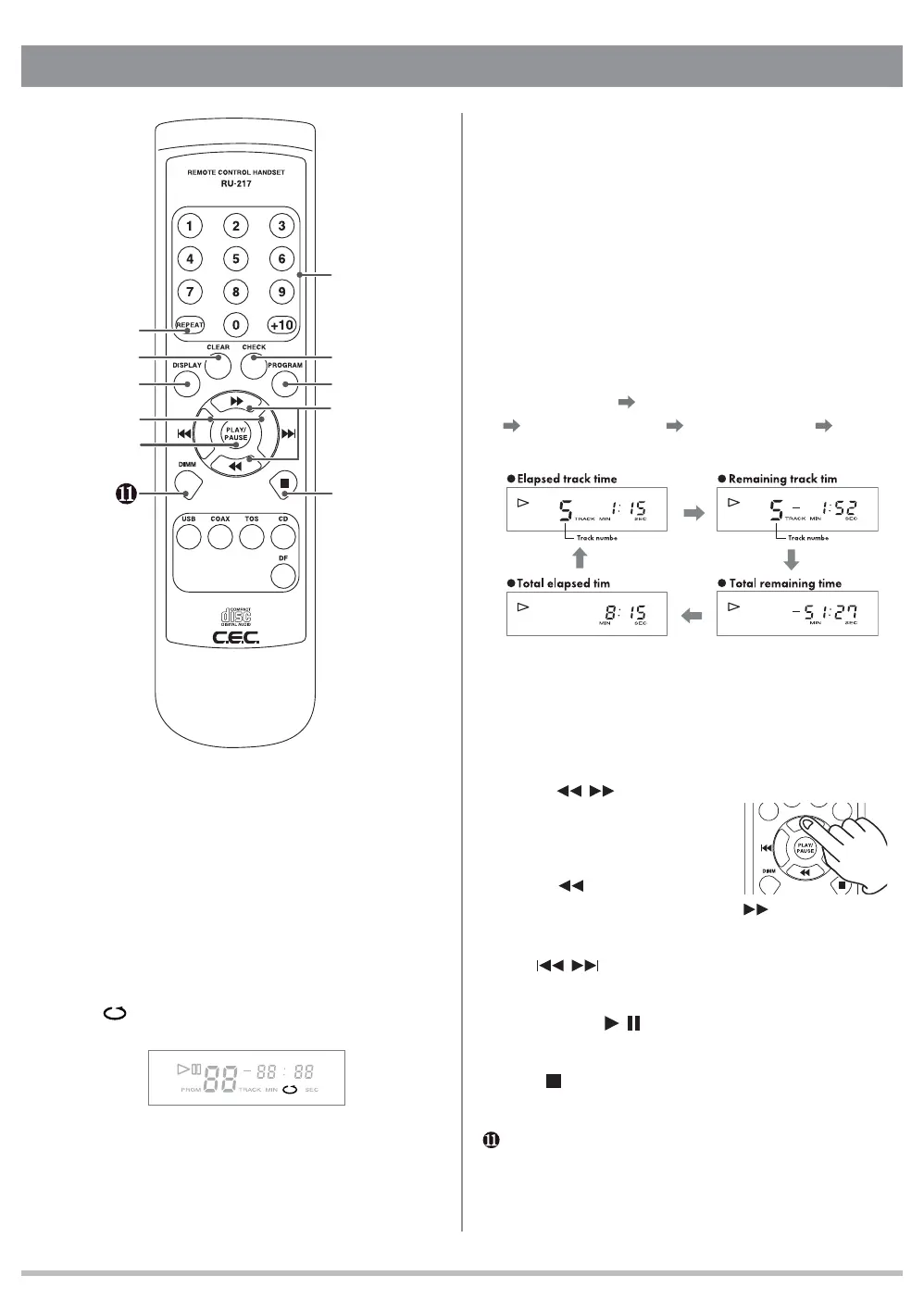
CLEAR button
Press to clear the current programmed setting.
Refer to " Programmed CD Playback " on page 12 for
details.
❺
PROGRAM button
Press to enable programmed playback. Refer to
" Programmed CD Playback " on page 12 for details.
❻
DISPLAY button
Press to cycle the display through various mode.
Each press of the DISPLAY button cycles the display
in the following order: track number/elapsed track time
(default display)
track number/remaining track time
total remaining time total elapsed time back to
track number/elapsed track time (default display).
□
After track-32 remaining track time is not displayed,
but " - " and " - - : - - " blink alternately.
□
Total remaining time and total elapsed time will not
be displayed in the programmed playback mode
and/or repeat mode.
❼
Search
/
button
Press and hold the
button to quickly search
through the track being
played.
searches
through the track backwards, and
searches
forwards.
❽
Skip
/ button
Jump to the previous or next track.
❾
PLAY/PAUSE
/
button
Press to start or to pause playback temporarily.
❿
STOP
button
Press to stop playback.
DIMM button
Press to change the display brightness in different 3
levels.
Key functions
❶
Numeric keys
Press to select a track directly for playback or to
enter a programmed playback order. To select ex.
24-track press +10 twice and then 4.
❷
REPEAT button
Press to repeatedly playback all the tracks on a disc.
When repeat mode is on, the display will show the
repeat
indicator. Press again to cancel the repeat
mode.
❸
CHECK button
Press to check the order of tracks in your current
programmed setting. Refer to "Programmed CD
Playback " on page 12 for details.
ݎ
ݐݑ
ݕ
ݔ
ݖ
ݏ
ݒ
ݗ
ݓ
e
e
r r
(default)
Remote Control unit



 To Next Page