11
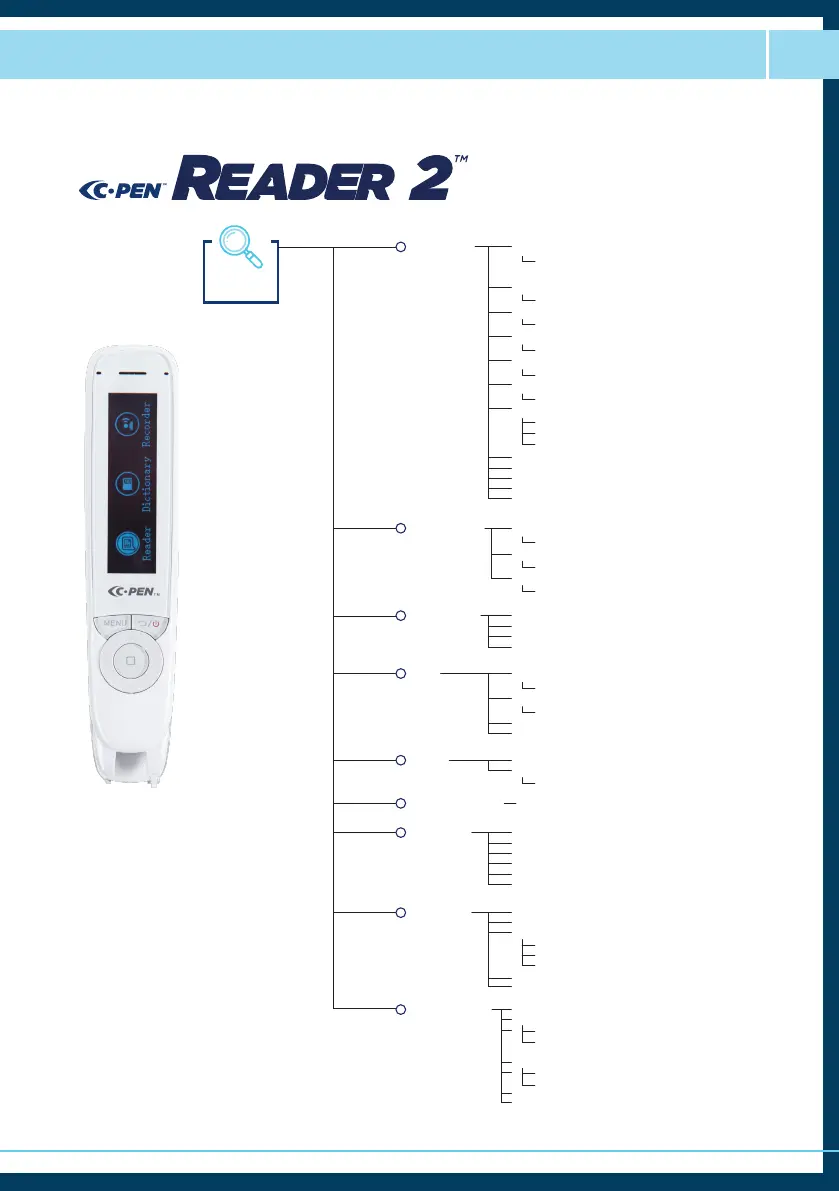
Menu Guide P3
Settings
● Battery Level %
● Storage % Available
● Version
● Exam Lock (On/Off)
● Lock Mode
● UI Lock (On/Off)
● Statistics
● Software Upgrade (Yes/No)
● Default Settings (Yes/No)
● Year
● Month
● Day
● Hour
● Minute
● Second
Left/Right-handed
System Info
System Settings
Date & Time
• Software Version
• System Version
• Hardware Version
• Allow Statistics (On/Off)
• Delete File
• Reader
• Read. + Dic.
● About
● Dictionary Info
● Menu Language
● Talking Menu
● Speed (0-10)
● Volume (1-10, Boost 1 - Boost 5)
● Brightness (0-15 | 5 dots)
● Auto Shut Down
● Speed (0-10)
● Word Pause (1-5)
● Punctuation Pause (1-5)
● Read Delay
Run Wizard
Text Language
Menu
Display
Read Settings
● Select Talking Menu
● Select Menu Language
● Select Scan Language
● Select Voice
● Select Left/Right-handed
● Select Dictionary Language
● Select Dictionary
● Set Auto Read (On/Off)
● Set Speed (0-10)
● Set Volume (1-10,Boost 1-Boost 5)
● Set Word Pause (0-5)
● Set Punctuation Pause (0-5)
• Talking Menu
• Silent Menu
• On/Off
• 5m/10m/30m/1hr/2hr
• English/French/Spanish
• English/French/Spanish
• English/French/Spanish
• English/French/Spanish
• Left-handed/Right-handed
• British/American/Indian/Australian (English)
• OPD/Collins/NOAD
• Cordial
• Larousse
● English
● French
● Spanish
• American/Indian/Australian/British
• European/Canadian
• European/Latin
● Left/Right-handed R or L


 To Next Page