4
Brief Introduction
The C-PEN™ ReaderPen™ is a portable scanning pen which reads printed text out loud, scans and saves text in local files,
records voice memos, and contains multiple fhirst tier dictionaries providing word definitions/translations.
C-PEN ReaderPen is designed with the objective to promote active and independent reading and learning with the
dedicated purpose to support students with reading diffuculties.
C-Pen ReaderPen will thus help you to work more efficiently and learn faster. Simply scan and the experience is instant!
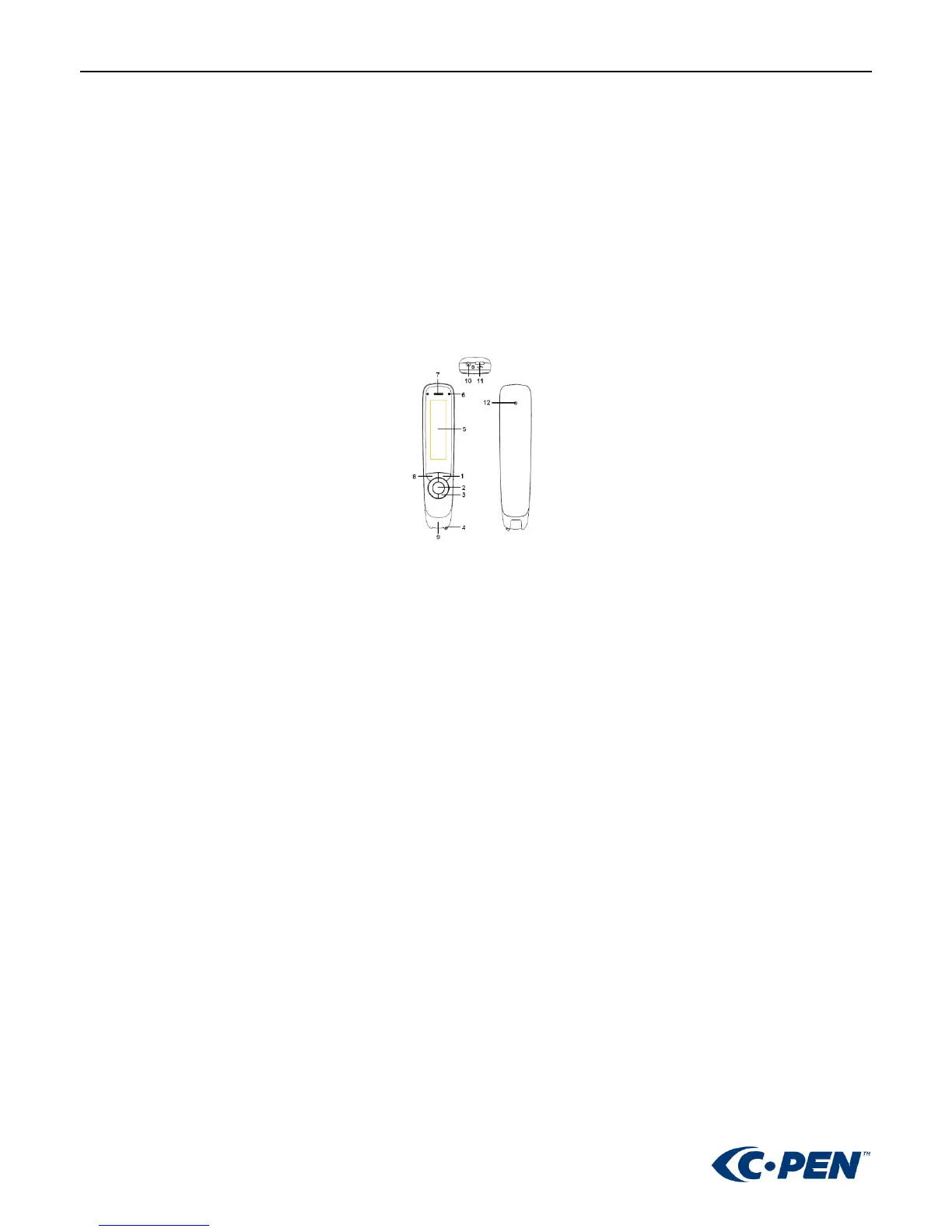
Buttons and connectors
1. POWER ON/OFF & BACK BUTTON: Press 3 seconds to power device on or off. Press briefly to use as cancel
function in the user interface
2. OK BUTTON: When a dialog box or options list pops up, press this button to confirm the operation.
3. UP/DOWN/LEFT/RIGHT: Navigation buttons to move focus or cursor.
4. SCAN TRIGGER: When scanning, the Scan Trigger is automatically pressed to activate scanning.
5. SCREEN: The device’s display screen.
6. SPEAKER: Used to read text out loud. Muted when headphones are connected.
7. MIC: Microphone for recording voice memos.
8. MENU BUTTON: Press this button to display context menu (like mouse right click on PC) settings when available.
9. SCANNING WINDOW: Frames the text to be scanned.
10. HEADPHONE JACK: A standard 3.5 mm headphone jack. Speaker is muted when headphones are connected.
11. MICRO USB CONNECTOR: Used for charging. To charge, connect to USB charger or computer USB port.



 To Next Page