~
12
~
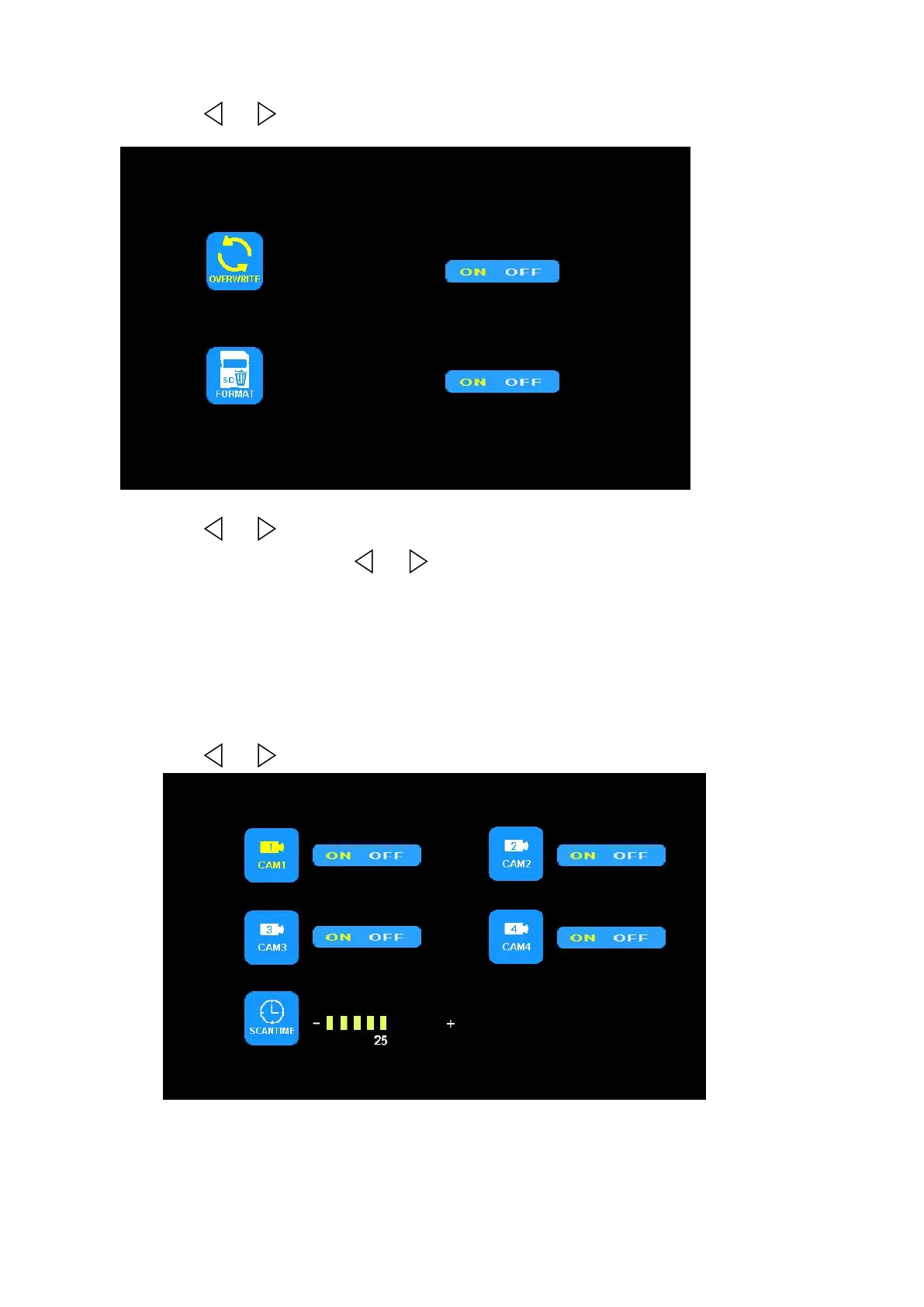
(4) Press or to select RECORD. Press OK to enter.
Press or to select OVERWRITE / FORMAT, press OK to enter. When the
icon turns yellow, press or to select ON or OFF. Press OK to exit. Press
MENU return to main menu.
OVERWRITE: Previous video file will be overwritten when disk is full.
FORMAT:Micro SD card must be formatted before being used. All files in Micro SD
card will be lost once disk is formatted.
(5) Press or to select AUTOSCAN, Press OK to enter.


 To Next Page