~
13
~
Press or to select CAM1/CAM2/CAM3/CAM4/SCANTIME, press OK to enter.
When the icon turns yellow, press or to select or adjust. Press OK to exit.
Press MENU return to main menu.
No video will be displayed under AUTOSCAN mode if a channel is turned OFF.
SCANTIME frame is between 5 and 45 seconds, with a step time of 5s.
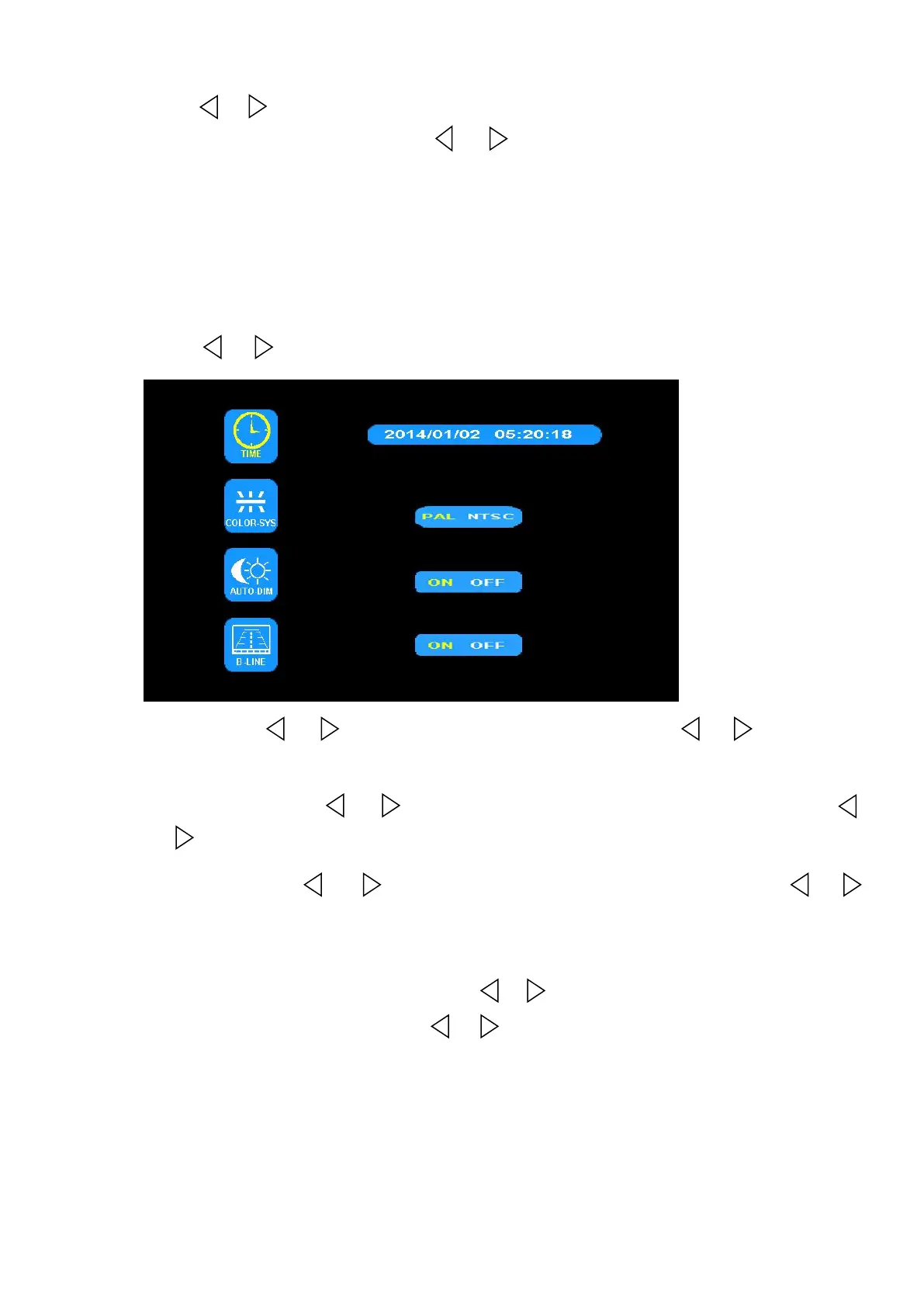
(6) Press or to select SYSTEM, Press OK to enter.
TIME:Press or to select TIME, Press OK to set. Press or to adjust.
Press OK to continue setting.
COLOR-SYS: Press or to select COLOR-SYS, Press OK to enter, Press
or to select NTSC/PAL.
AUTO-DIM: Press or to select AUTO-DIM. Press OK to enter, press or
to select ON/OFF. When set as ON, backlighting automatically adjusts in
accordance with the outer brightness.
ELETRONIC DISTANCE LABEL: Press or to select ELETRONIC DISTANCE
LABEL. Press OK to enter, press or to select ON/OFF to open or close the
electronic distance label. When it is on, the electronic distance label will be
displayed in reversing channel 4.


 To Next Page